

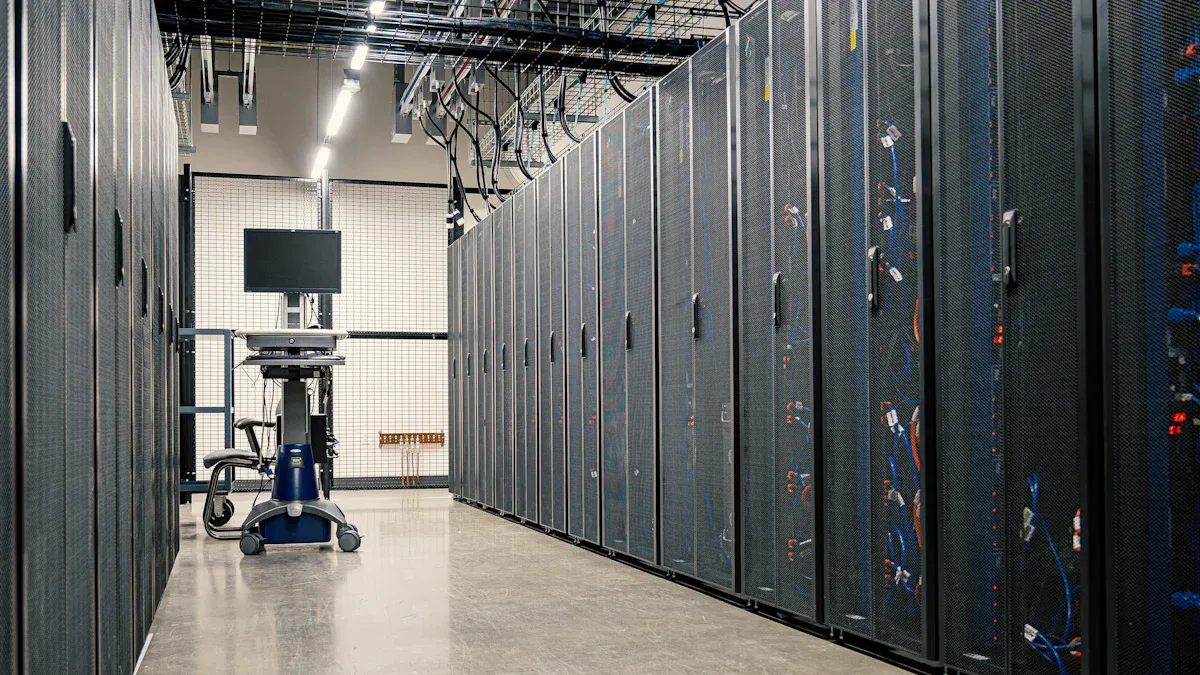
Data centers rely heavily on reliable Basic PDUs to ensure uninterrupted power delivery to critical equipment. Power-related outages account for 43% of significant outages in data centers, primarily due to failures in uninterruptible power supplies (UPS). Therefore, selecting a dependable Data Center PDU is crucial.
Key features that define a quality Basic PDU include:
| Feature | Description |
|---|---|
| Reliable Power Delivery | Basic PDUs provide dependable power to critical IT equipment within a rack or cabinet. |
| Locking Receptacles | Some models, such as the IEC C13/C19 PDU, include locking receptacles to prevent accidental disconnection of equipment. |
| Future Intelligence Capability | Basic PDUs can be upgraded with smart capabilities in the future, enhancing their functionality. |
Investing in a robust 19-inch Rack Mount PDU or a Server Rack PDU enhances operational efficiency and minimizes downtime. Additionally, utilizing a Network Rack Power Strip can further optimize power distribution within the data center.
Key Takeaways
- Reliable Basic PDUs are essential for uninterrupted power delivery in data centers, reducing the risk of outages.
- Look for PDUs with locking receptacles to prevent accidental disconnections of critical equipment.
- Choose PDUs with high build quality to ensure durability and longevity in demanding environments.
- Assess power capacity needs carefully to accommodate both current and future equipment requirements.
- Advanced monitoring capabilities in PDUs help prevent overloads and ensure balanced power distribution.
- Incorporate safety features like overload protection and surge suppression to protect equipment and personnel.
- Consider the form factor and design of PDUs to optimize airflow and space utilization in data center racks.
- Evaluate budget options by considering the total cost of ownership, including installation and operational costs.
Key Features of Reliable Basic PDUs

Build Quality
The build quality of a Basic PDU significantly impacts its reliability and longevity. High-quality materials and construction methods ensure that these units withstand the demanding environments of data centers. The following table outlines the essential materials and methods used in the most durable Basic PDUs:
| Material/Method | Description |
|---|---|
| Chassis Material | High-quality materials like steel or aluminum are used for durability. |
| Internal Wiring | Robust internal wiring ensures reliable power distribution. |
| Outlet Receptacles | Designed for long-term reliability under demanding conditions. |
| Industry Certifications | Certifications like UL and CE ensure compliance with safety standards. |
| RoHS Compliance | Ensures no harmful materials are used in construction. |
Investing in a Basic PDU with superior build quality minimizes the risk of equipment failure due to power issues.
Power Capacity
Power capacity is a critical factor when selecting a Basic PDU. Data center operators must assess their power requirements to ensure the PDU can accommodate both current and future equipment. Here are some key considerations:
- Before selecting a PDU, assess the power requirements to ensure it can accommodate current and future equipment.
- Estimate the power capacity needed for each IT rack after determining the equipment to be powered.
- Utilize online calculators provided by PDU manufacturers for accurate power draw estimations.
- Accurate power calculations are essential to avoid costly downtime or equipment damage.
Frequent errors in power calculations can lead to significant operational issues. Therefore, understanding power capacity helps maintain operational efficiency and safety in data centers.
Monitoring Capabilities
Advanced monitoring capabilities in Basic PDUs play a vital role in preventing power-related failures. Intelligent PDUs provide real-time data on power consumption, which helps ensure balanced loads and prevents overloads. Key features include:
- Remote monitoring capabilities allow operators to manage power distribution without being physically present, enhancing response times during critical situations.
- Built-in environmental sensors monitor conditions like temperature and humidity, triggering alerts for abnormal changes to prevent equipment failures.
These monitoring features empower data center operators to proactively manage their power distribution, reducing the risk of outages and enhancing overall reliability.
Safety Features
Safety features in Basic PDUs are essential for minimizing electrical hazards in data centers. These features help protect both equipment and personnel from potential dangers. In fact, in 2022, 17% of occupational fatalities due to exposure to harmful environments were caused by electricity exposure. This statistic underscores the importance of incorporating robust safety measures into electrical systems.
Key safety features to look for in Basic PDUs include:
- Overload Protection: This feature prevents excessive current from damaging equipment.
- Surge Suppression: It protects devices from voltage spikes that can occur during electrical storms or power fluctuations.
- Circuit Breakers: These automatically disconnect power in case of overloads, reducing the risk of fire hazards.
- Locking Receptacles: They prevent accidental disconnections, ensuring continuous power delivery.
Incorporating safety into the electrical system design is crucial. A robust design minimizes risks associated with high-demand environments, ensuring proper circuit segregation to prevent overloads and short circuits. This proactive approach significantly reduces the risk of electrical hazards.
The following table outlines common safety certifications held by reliable Basic PDUs:
| Certification | Description |
|---|---|
| UL Listed Mark | Ensures products are tested for safety against electric shock and fire hazards, primarily in the U.S. and Canada. |
| CE Mark | Required for electronic devices in the EU, indicating compliance with health and safety standards. |
| IEC CB Scheme | A global standard allowing manufacturers to achieve certification across multiple countries. |
| FCC Compliance | Certifies that a device’s electromagnetic emissions do not cause interference or safety hazards. |
| UKCA Mark | A new certification for products in Great Britain, similar to the CE mark. |
| NEMKO Certification | Additional certification for universal PDUs, allowing adaptability to various power requirements. |
Form Factor and Design
The form factor and design of Basic PDUs significantly influence airflow and space utilization in data center racks. Efficient rack layout and space utilization are essential for optimizing data center performance. Properly designed PDUs prevent the hindrance of seamless integration of new hardware and enhance airflow management.
Consider the following aspects of PDU design:
- Rack Compatibility: Ensure the PDU fits well within standard rack sizes, allowing for easy installation and maintenance.
- Cable Management: A well-designed PDU includes features that facilitate organized cable routing, reducing clutter and improving airflow.
- Ventilation: Properly positioned PDUs enhance airflow management and minimize the mixing of hot and cold air, which is crucial for cooling efficiency.
Improved airflow directly contributes to reducing the load on cooling systems, leading to greater energy efficiency. Effective cooling strategies must address escalating thermal loads in data centers driven by high-density computing. Achieving proper load balance ensures that each rack operates efficiently and prevents overheating.
Top Recommended Basic PDUs

CK-PDU12-15A
Specifications
The CK-PDU12-15A is a reliable Basic PDU designed for straightforward power distribution in data centers. Key specifications include:
- Input Voltage: 120V
- Maximum Current: 15A
- Number of Outlets: 12
- Form Factor: 1U rack mountable
- Weight: 3.5 lbs
Pros
- Cost-Effective: This model offers a budget-friendly solution for basic power distribution.
- Simple Installation: The straightforward design allows for easy setup in standard racks.
- Durable Construction: Built with high-quality materials, it ensures longevity in demanding environments.
Cons
- Lack of Advanced Features: Basic PDUs like the CK-PDU12-15A do not offer advanced features necessary for modern IT environments, limiting their effectiveness.
- Insufficient Monitoring: Without built-in meters, these units cannot provide real-time power quality data, necessitating external monitoring tools.
- No Power Usage Analytics: The unit does not track power consumption analytics, making it difficult to optimize energy usage.
- Scalability Issues: This model is not designed for scalability, which is a drawback for evolving data center needs.
- Environmental Monitoring Limitations: Lacks integrated sensors to monitor critical environmental factors like temperature and humidity, leading to potential operational challenges.
PX3-5469R Raritan
Specifications
The PX3-5469R Raritan is a robust Basic PDU that excels in enterprise data centers. Its specifications include:
- Input Voltage: 230V
- Maximum Capacity: 7400VA
- Number of Outlets: 20 high-quality outlets
- Form Factor: 1U rack mountable
- Weight: 5.5 lbs
Pros
- High Capacity: With a robust 7400VA capacity, it supports a wide range of equipment.
- Durable Build: Designed for mid-sized rack loads, it ensures reliability under demanding conditions.
- Versatile Outlet Configuration: The 20 outlets provide ample connectivity for various devices.
Cons
- Higher Cost: Compared to basic models, the PX3-5469R may be more expensive, which could be a consideration for budget-conscious operations.
- Complexity: Some users may find the features overwhelming if they only require basic power distribution.
AP8865 APC Metered Rack PDU
Specifications
The AP8865 APC Metered Rack PDU is designed for high-performance environments. Its specifications include:
- Input Voltage: 230V
- Maximum Current: 16A
- Number of Outlets: 24
- Form Factor: 1U rack mountable
- Weight: 6 lbs
Pros
- Real-Time Monitoring: This model features built-in metering for real-time power consumption data.
- Surge Protection: It includes surge protection to safeguard connected equipment from voltage spikes.
- Flexible Outlet Configuration: The 24 outlets allow for extensive connectivity options.
Cons
- Higher Price Point: The advanced features come at a premium, which may not be suitable for all budgets.
- Requires Configuration: Users may need to spend time configuring settings to optimize performance.
Additional Models
Several additional Basic PDU models offer unique features that may suit specific data center needs. These models provide various functionalities that enhance power distribution and management. Below are some noteworthy options:
Specifications
| Model | Unique Features |
|---|---|
| PDU20B2F12R | 14 outlets, integrated surge protection, remote management capabilities |
| Eaton ePDU G3 Basic | Advanced remote management, outlet-level monitoring, environmental integration |
| Vertiv Geist VP7551 | High outlet density, durable construction, U Lock receptacles for secure connections |
Pros
-
PDU20B2F12R: This model stands out with its integrated surge protection, which safeguards connected equipment from voltage spikes. Its remote management capabilities allow operators to monitor and control power distribution from anywhere, enhancing operational efficiency.
-
Eaton ePDU G3 Basic: This PDU excels in advanced remote management features. It offers outlet-level monitoring, enabling precise tracking of power consumption for each outlet. Additionally, its environmental integration helps maintain optimal conditions for sensitive equipment.
-
Vertiv Geist VP7551: Known for its high outlet density, this model maximizes power distribution in limited rack space. Its durable construction ensures longevity, while U Lock receptacles provide secure connections, reducing the risk of accidental disconnections.
Cons
-
PDU20B2F12R: While it offers many features, its complexity may overwhelm users who only require basic power distribution. Additionally, the price point may be higher than simpler models, which could deter budget-conscious buyers.
-
Eaton ePDU G3 Basic: The advanced features come at a premium cost. Organizations with limited budgets may find it challenging to justify the investment, especially if they do not require all the functionalities.
-
Vertiv Geist VP7551: Although it provides excellent durability and outlet density, its design may not fit all rack configurations. Users must ensure compatibility with their existing setups before purchasing.
These additional models demonstrate the diversity available in the Basic PDU market. Each offers distinct advantages that cater to different operational requirements, making it essential for data center managers to evaluate their specific needs before making a selection.
Comparison of Top Basic PDUs
Comparison Table
The following table summarizes the key specifications and features of the top Basic PDUs reviewed:
| PDU Model | Power Capacity | Build Quality | Additional Features |
|---|---|---|---|
| CK-PDU12-15A | 15A | Durable construction | Cost-effective, simple installation |
| PX3-5469R Raritan | 7400VA | Heavy-duty design | Versatile outlet configuration |
| AP8865 APC Metered Rack PDU | 16A | Robust build | Real-time monitoring, surge protection |
| PDU20B2F12R | Up to 32A | Heavy-duty aluminum alloy housing | 24 locking outlets |
| Eaton ePDU G3 Basic | Flexible | Durable metal construction | Advanced remote management |
Analysis of Performance
Independent testing reveals that the performance of these Basic PDUs varies significantly under high-load conditions. For instance, the APC Rack PDU scored highly in design and performance metrics, achieving an overall score of 9.1. Its features include remote monitoring and outlet-level control, which enhance its efficiency. The Eaton ePDU G3 also stands out with billing-grade metering accuracy, measuring current, voltage, power, and energy effectively.
In contrast, while the CK-PDU12-15A offers a cost-effective solution, it lacks advanced monitoring capabilities, which may limit its effectiveness in high-demand environments. The Raritan PX3 Smart PDU excels in providing real-time power quality metrics, ensuring consistent performance even under heavy loads.
Cost vs. Features
When selecting a Basic PDU, data center managers often weigh cost against features. Basic PDUs, such as the CK-PDU12-15A, provide essential power distribution at a lower price point, making them suitable for smaller operations. However, intelligent PDUs, like the Eaton ePDU G3, offer advanced features that can lead to long-term operational benefits, despite their higher initial cost.
The average cost range for reliable Basic PDUs varies based on functionality:
| PDU Type | Functionality | General Cost |
|---|---|---|
| Basic | Distributes power with no monitoring. | Lowest |
| Metered | Shows power usage on a local display. | Moderate |
| Monitored | Allows remote monitoring of power data. | Higher |
| Switched | Adds remote on/off control for each outlet. | Highest |
Ultimately, the decision hinges on whether immediate cost savings or long-term efficiency gains are prioritized.
How to Choose the Right Basic PDU
Assessing Your Data Center Needs
Choosing the right Basic PDU begins with a thorough assessment of data center needs. Operators should consider several factors to ensure optimal power distribution. The following table summarizes key considerations:
| Factor | Description |
|---|---|
| Scalability and Future-Proofing | Select a PDU with a higher power rating than current needs to accommodate future equipment. Modular designs allow for upgrades and compatibility with new standards. |
| Compliance, Safety, and Standards | Ensure PDUs comply with regulatory requirements and safety certifications. Installation must meet local electrical standards, and PDUs should include protective devices against overcurrent and surges. |
| Budget and Total Cost of Ownership | Evaluate initial investment, operational costs, and long-term value. Intelligent PDUs may offer better total cost of ownership due to reduced operational and maintenance expenses. |
| Outlet Configuration and Compatibility | Increase the number of outlets by 20-30% for future needs. Consider outlet types (C13, C19) and ensure proper spacing for effective cable management. |
| Redundancy and Reliability Requirements | Establish resilient power paths for critical operations, including device-level, PDU-level, and internal component redundancy to prevent single points of failure. |
| Monitoring, Management, and Networking Features | Determine the level of monitoring needed, confirm network interface requirements, and check for remote control and alerting capabilities. |
| Energy Efficiency and Power Management | Opt for intelligent PDUs for precise measurement and capacity optimization, which can help reduce operational costs and improve sustainability. |
Evaluating PDU Features
After assessing needs, operators should evaluate specific features of Basic PDUs. Key features include build quality, power capacity, and monitoring capabilities. A robust build quality ensures longevity, while adequate power capacity accommodates current and future equipment. Monitoring capabilities provide real-time data, allowing for proactive management of power distribution.
Operators should also consider safety features, such as overload protection and surge suppression. These features protect both equipment and personnel from electrical hazards. Additionally, the form factor and design of the PDU can impact airflow and space utilization within the data center.
Budget Considerations
Budget considerations play a crucial role in selecting the right Basic PDU. Operators must balance initial costs with long-term operational expenses. While basic models may offer lower upfront costs, intelligent PDUs can provide significant savings over time through enhanced energy efficiency and reduced maintenance needs.
When evaluating budget options, consider the total cost of ownership. This includes not only the purchase price but also installation, operational costs, and potential savings from energy efficiency. Investing in a reliable Basic PDU can lead to improved performance and reduced downtime, ultimately benefiting the overall operation of the data center.
Future Scalability
Future scalability plays a crucial role in selecting basic power distribution units (PDUs) for growing data centers. As technology evolves, data centers must adapt to increasing demands. Here are several key considerations regarding scalability:
-
Design for Growth: Data center managers must ensure that enclosures, power distribution, cable management, and cooling solutions accommodate future growth. This foresight prevents costly retrofitting and downtime.
-
Flexible Power Architecture: Incorporating scalability into power architecture is vital for meeting future demands. Traditional PDUs have evolved to support complex environments, especially those handling artificial intelligence (AI) workloads. These workloads require more flexible power distribution solutions.
-
Meeting AI Demands: Data center design must focus on scalability to address the compute demands of AI workloads. Factors such as power infrastructure and system design become critical in this context. A scalable PDU can adapt to the increased power requirements of advanced computing technologies.
-
Future-Proofing Investments: Investing in scalable PDUs ensures that data centers remain competitive. As businesses grow, their power needs will likely increase. A PDU that can expand its capacity or integrate with additional units will provide long-term value.
-
Cost Efficiency: Scalable PDUs can lead to cost savings over time. By avoiding the need for frequent replacements or upgrades, organizations can allocate resources more effectively. This efficiency contributes to overall operational sustainability.
In this review, several reliable basic PDUs emerged as top choices for data centers. The CK-PDU12-15A offers a cost-effective solution for basic needs. The PX3-5469R Raritan excels in high-capacity environments, while the AP8865 APC Metered Rack PDU provides advanced monitoring features.
Final Recommendations:
- For Budget-Conscious Operations: Choose the CK-PDU12-15A.
- For High-Demand Environments: Opt for the PX3-5469R Raritan.
- For Enhanced Monitoring: Select the AP8865 APC Metered Rack PDU.
Consider specific features like power capacity, monitoring capabilities, and safety features to ensure optimal performance in your data center.
FAQ
What is a Basic PDU?
A Basic PDU distributes electrical power to multiple devices within a data center. It provides reliable power delivery without advanced monitoring or management features.
How do I choose the right PDU for my data center?
Consider factors such as power capacity, build quality, monitoring capabilities, and safety features. Assess your current and future power needs to ensure optimal performance.
What are the benefits of using a metered PDU?
A metered PDU offers real-time monitoring of power consumption. This feature helps data center operators manage loads effectively and prevent overloads.
Can I install a PDU myself?
Yes, many Basic PDUs are designed for easy installation. However, ensure compliance with local electrical codes and safety standards. Consulting a professional is advisable for complex setups.
How often should I inspect my PDUs?
Regular inspections are essential. Check PDUs at least once every six months for signs of wear, damage, or overheating. This practice helps maintain reliability and safety.
What safety features should I look for in a PDU?
Look for features like overload protection, surge suppression, and circuit breakers. These features protect equipment and personnel from electrical hazards.
Are there PDUs designed for high-density environments?
Yes, some PDUs are specifically designed for high-density environments. These models offer higher power capacities and more outlets to accommodate increased equipment demands.
What is the average lifespan of a Basic PDU?
The average lifespan of a Basic PDU ranges from 5 to 10 years, depending on usage and environmental conditions. Regular maintenance can extend its operational life.
Post time: Feb-13-2026