

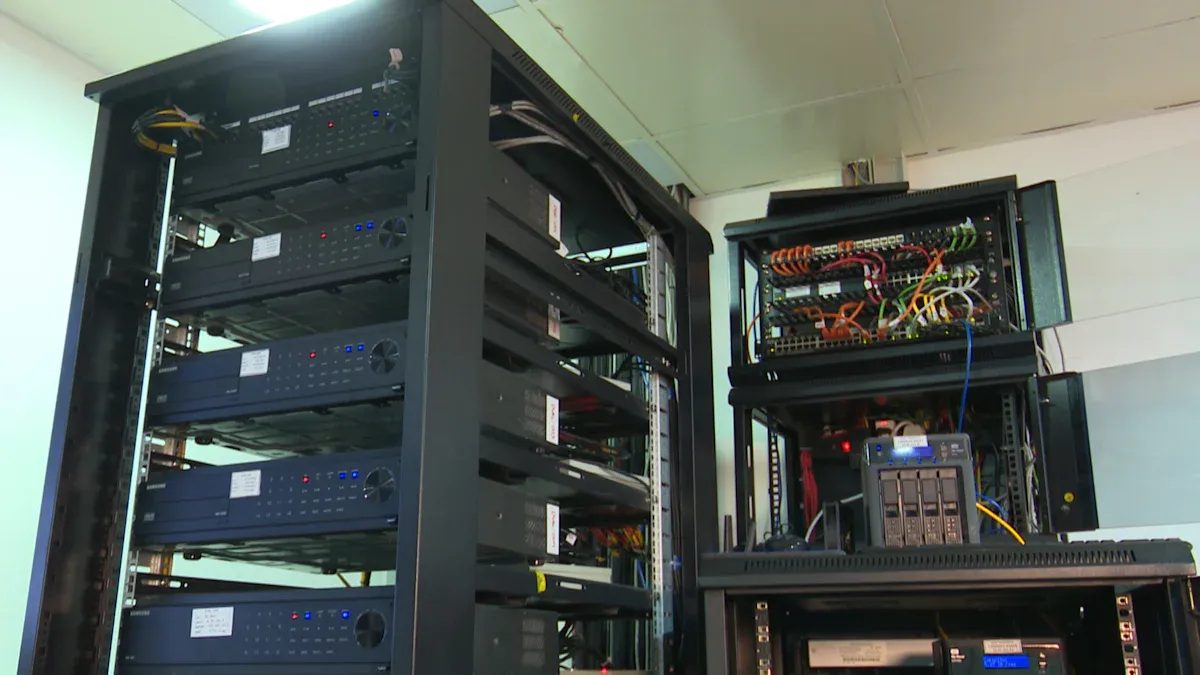
A Basic PDU reliably distributes power to multiple devices in various setups. This unit is crucial for maintaining consistent power delivery. For small businesses, these power distribution units are commonly chosen. They offer cost-effectiveness and reliable performance. Selecting the right one involves assessing specific power requirements. This type of unit provides essential power distribution without advanced monitoring features, making it ideal for straightforward needs.
Key Takeaways
- A Basic PDU gives power to many devices. It does not have smart features.
- Choose a Basic PDU for simple power needs. It saves money for small setups.
- Match the PDU’s voltage and amps to your power source. This keeps things safe.
- Count your devices to know how many outlets you need. Plan for more later.
- Circuit breakers protect your devices from too much power. They are important for safety.
- Pick a PDU that fits your space. You can mount it flat or upright in a rack.
- Good brands and warranties mean a reliable PDU. This helps it last longer.
Understanding the Core Function of a Basic PDU
Defining a Power Distribution Unit
The Fundamental Role of a PDU
A Power Distribution Unit (PDU) is a device with multiple outputs. It specifically engineers these outputs to distribute electric power. PDUs commonly supply power to racks of computers and networking equipment, especially within data center environments. A PDU distributes a site’s power to numerous devices. This is crucial when direct connection to a single power supply is impractical due to the number of devices. It converts one or a few power inputs into multiple power outputs. Essentially, a PDU reliably distributes network power to multiple devices. It delivers AC or DC power from sources like a UPS, generator, or utility power to remote equipment. However, it does not generate power itself.
Basic PDU vs. Standard Power Strip
A standard power strip offers basic power expansion for a few devices. It typically lacks robust construction or specific features for IT environments. In contrast, a PDU, even a basic one, is designed for more demanding settings. It often features higher amperage ratings, more durable construction, and specific outlet types suitable for server and networking gear. A basic power strip can be considered a simple form of a PDU, but PDUs offer enhanced reliability and capacity for professional setups.
Key Characteristics of a Basic PDU
Simplicity and Reliability in Power Distribution
Basic PDUs prioritize simplicity and reliability. Their design focuses solely on distributing power efficiently and consistently. They provide a dependable power pathway from a source to connected equipment. This straightforward approach minimizes potential points of failure.
Absence of Advanced Monitoring or Control Features
Basic PDUs are designed to provide straightforward power distribution without any additional features. Their sole purpose is to distribute power. They do not offer any data on power usage. This means users cannot monitor power consumption, remotely control outlets, or receive alerts about power conditions.
When a Basic PDU is the Ideal Choice
Cost-Effectiveness for Essential Power Needs
A Basic PDU offers a cost-effective solution for essential power distribution. Businesses can meet their fundamental power requirements without investing in features they do not need. This makes them an economical choice for many setups.
Specific Use Cases for Basic PDU Deployment
Basic PDUs are ideal for specific environments. They suit small data centers and lab environments. They are also a good fit for non-critical IT racks where power visibility is not a requirement. Small server rooms benefit from their affordability and ease of use, as advanced features are not typically required. Office setups find them cost-effective for straightforward power delivery. Low-density environments appreciate their compact size, which helps save rack space. Small businesses and startups benefit from the affordability and simplicity of basic PDUs. They effectively meet requirements when remote monitoring or environmental tracking is not necessary.
Assessing Your Power Requirements for a Basic PDU
Selecting the correct Basic PDU requires a thorough assessment of your power needs. This involves understanding the input power available, the output requirements for your devices, and the total power capacity necessary for your setup. Careful planning ensures efficient and reliable power distribution.
Input Power Considerations for Your Basic PDU
Understanding the input power is the first step in choosing a suitable PDU. This includes voltage, amperage, and the type of power system.
Voltage Compatibility (120V, 208V, 240V)
The voltage of your power source must match the PDU’s specifications. In North America, common power systems for server and networking gear operate at 120V or 208/240V. Conversely, Europe and Asia primarily use 230V power sources. Users must ensure the PDU’s input plug aligns with the power source’s receptacles to prevent mismatches. This alignment is crucial for safe and effective operation.
Amperage Rating (15A, 20A, 30A)
The amperage rating defines the maximum current a PDU can safely handle. Standard basic PDUs are available in 15 Amp, 20 Amp, and 30 Amp capacities. Custom PDUs can be designed for current capacities up to 400 Amps for specialized applications. The PDU’s amperage and voltage ratings must correspond to the equipment’s needs to define the total power capacity the PDU can handle.
| Amperage Rating (Maximum) | Continuous Duty Rating |
|---|---|
| 30 Amps | 24 Amps |
| 20 Amps | 16 Amps |
| 15 Amps | 12 Amps |
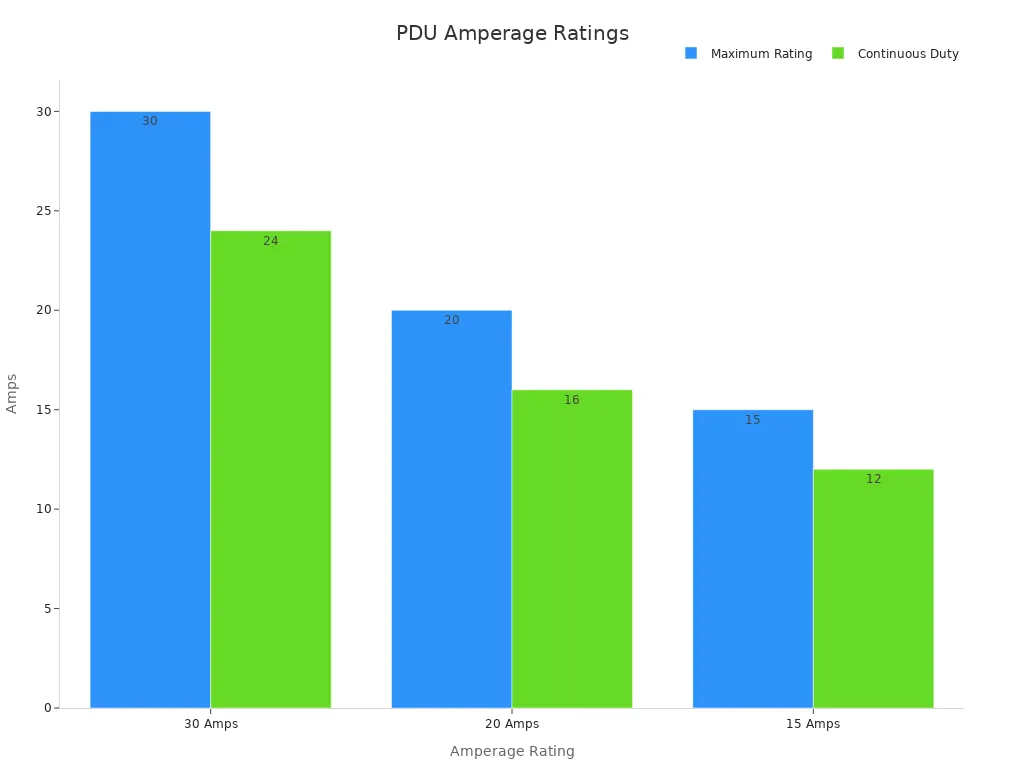
A 24-amp rated PDU is suitable for a 30-amp circuit, as circuits are typically designed for 80% continuous current. Similarly, 16-amp rated PDUs are designed for 20-amp circuits. Matching the PDU rating to the circuit ensures proper overcurrent protection and internal wire sizing. For instance, a 16/20 amp PDU should not be placed on a 30 amp circuit due to inadequate protection.
Single-Phase vs. Three-Phase Power Systems
Choosing between single-phase and three-phase power systems depends on the scale and demands of your environment.
| Feature | Single-Phase PDU | Three-Phase PDU |
|---|---|---|
| Power Capacity | Moderate power needs, smaller setups | High-demand environments, large loads |
| Efficiency | Reliable, but less efficient than three-phase | Up to 150% more efficient, especially in high-demand |
| Application Suitability | Small server rooms, office environments, home offices | Data centers, industrial facilities, workshops |
| Cost (Upfront) | Generally more affordable | Higher initial cost |
| Cost (Long-term) | Can be less cost-effective for growing needs | Offers long-term savings through energy efficiency |
| Scalability | Less scalable, may require frequent upgrades | Accommodates growing power demands, long-term investment |
| Design | Single alternating current (AC) waveform | Three separate AC waveforms spaced 120 degrees apart |
Single-phase PDUs are ideal for moderate power needs, while three-phase PDUs excel in high-demand environments, offering up to 150% more efficiency. Users should choose a single-phase PDU for smaller setups like home offices or small server rooms, where simplicity and cost-effectiveness are priorities. They should opt for a three-phase PDU in data centers or industrial facilities to handle larger loads and ensure stable power distribution. Considering future scalability is also important; a three-phase PDU can accommodate growing power demands without frequent upgrades, making it a long-term investment. Evaluating the budget is also key: while single-phase PDUs are cheaper upfront, three-phase PDUs can lead to significant savings in energy costs over time. Finally, users must assess their application type, matching the PDU to specific needs—single-phase for basic setups and three-phase for complex, high-density environments.
Determining Output Outlet Needs for a Basic PDU
After assessing input power, users must consider the output requirements for their devices.
Required Number of Outlets
The chosen PDU should have at least as many outlets as the number of plugs required for connection. If a device uses multiple plugs or if one device needs to be plugged into another, users must adjust the count accordingly. Always remember to account for potential future additions of devices. A PDU should have enough outlets to power every device in the rack, plus additional outlets for future expansion. It is advisable to include extra outlets for cooling fans, lights, or new equipment. Some devices may require multiple plugs or have unique power needs, which should be factored into the outlet count.
Types of Outlets (NEMA 5-15R, 5-20R, C13, C19)
The types of outlets on a PDU must match the plugs of your equipment.
- The NEMA 5-15R is a standard power output plug primarily used in North America. It supports a 5-15P power plug and is generally rated up to 15 amperes and 125 volts. A NEMA 5-15R to IEC C14 socket adapter allows equipment with 15 amp and 125 volt power requirements to connect to NEMA 5-15R outlets, and also enables devices with IEC C14 inlets to plug into NEMA 5-15R receptacles.
- The IEC C13 is a universal power cord with ratings and certifications for various countries, including the USA, Europe, Japan, and Australia. C13 cables can carry a maximum of 250 volts and come in 10, 13, and 15 amp ratings. Common applications for IEC C13 power cords include desktop computers, computer displays, printer extension cables, power distribution unit power cords, and gaming consoles (e.g., Xbox 360, PlayStation 3 ‘fat’ edition).
- NEMA 5-15R outlets distribute AC power to connected equipment. Basic PDUs with NEMA 5-15R outlets are ideal for networking, telecom, security, audio/video, and sound reinforcement applications. These PDUs are recommended for high-density IT environments. A typical unit may feature 13 NEMA 5-15R outlets, providing ample connections for standard IT equipment.
Outlet Spacing for Various Equipment Plugs
Proper outlet spacing is crucial for accommodating different plug sizes, especially those with large power bricks. Closely spaced outlets can render some ports unusable if equipment uses bulky adapters. Consider PDUs with wider spacing or angled outlets to maximize usability and improve cable management. This foresight prevents frustrating compatibility issues and ensures all available outlets are functional.
Calculating Total Power Capacity for Your Basic PDU
Accurately calculating total power capacity prevents overloading and ensures system stability.
Summing Equipment Wattage for Connected Devices
It is critical to ensure the total power required by servers in a rack remains below the PDU’s maximum design capacity. For example, a typical US PDU might have a 5kW capacity (derived from 208 volts x 24 amps). When budgeting, one would aim to fit as many machines as possible under this 5kW limit. If the total power demand exceeds this, an additional power source, potentially with more PDUs and racks, would be necessary, which could lead to underutilized costs. The fundamental principle remains P = V x I (Power = Voltage x Current).
Users can calculate power in two primary ways:
- Method #1: Using PDU meters and equipment faceplates. This involves reading the amperage from a PDU’s built-in meter or the equipment’s faceplate, then using the formula
amps * volts = wattsto calculate power. For example, 9 amps * 208 volts = 1,872 watts. - Method #2: Using hardware lists and manufacturer specifications. If PDU meters are unavailable, compile a hardware list and research each item’s manufacturer power specifications (e.g., CPU/RAM/HDD/SSD configuration, equipment purpose, age, special requirements like Power-over-Ethernet). Convert all power ratings to watts (amps * volts = watts) and sum them up. For instance, 4 Dell servers at 550 watts each = 2200 watts; 1 Juniper switch at 320 watts; 1 FortiGate firewall at 3 amps * 120 volts = 360 watts. Total: 2200 + 320 + 360 = 2880 watts.
Regardless of the method used, all power calculations for a Basic PDU involve three electrical concepts: Current (amps), Voltage (volts), and Electrical power (watts). These are applied using the simple formula: amps * volts = watts. This formula helps determine the energy consumption of a piece of equipment at any given moment.
Planning for Future Expansion and Headroom
It is also crucial to account for ‘power creep’ as IT equipment tends to consume more power over time. Users should size each circuit (primary and redundant) to handle the total load in case one fails. For most commercial installations, a 20% headroom above the calculated load is recommended to prevent overheating risks. Managers should add 20-30% headroom above current requirements to accommodate future demands and prevent costly rework. Calculating total power needs carefully and adding 20-30% extra capacity handles future growth and avoids overloads. An e-commerce company planning a server room expansion, for example, calculated their total power load and added a 25% buffer. This allowed for future equipment additions without overloading circuits.
Installation and Physical Considerations for Your Basic PDU

Proper installation and physical characteristics significantly influence the effectiveness and longevity of any power distribution setup. Users must carefully consider mounting options, form factor, and input cord specifications when selecting a Basic PDU. These elements ensure seamless integration into existing infrastructure and optimize space utilization.
Mounting Options for a Basic PDU
The choice of mounting option directly impacts rack space, accessibility, and cable management. Different environments require different approaches.
Horizontal Rackmount Basic PDUs
Horizontal rackmount PDUs install across the rack. They typically occupy 1U or 2U of rack space. This mounting method is common for smaller setups or environments needing frequent connection changes. A standard 1U horizontal 19" rackmount installation provides a straightforward way to add power distribution. However, these units offer fewer outlets, usually between 4 and 12. They can also obstruct airflow and contribute to cable clutter, making identification and maintenance difficult.
Vertical Rackmount (0U) Basic PDUs
Vertical rackmount PDUs, often called 0U PDUs, mount along the side of a rack. This design saves valuable horizontal space, leaving it free for IT equipment. Many vertical PDUs offer space-saving 0U installations with detachable toolless mounting buttons. They can support up to 60 outlets, making them ideal for high-density setups. Vertical PDUs enhance airflow by keeping horizontal space clear and reduce cable congestion, simplifying management. While installation may require sufficient vertical clearance, they offer good scalability for growing environments.
Wall-Mount and Under-Desk Basic PDU Solutions
Beyond rack environments, wall-mount and under-desk PDU solutions provide power distribution for various applications. Users can mount these units directly to walls, under desks, or inside cabinets where rack space is unavailable or unnecessary. This flexibility makes them suitable for office environments, control rooms, or specialized workstations. They offer a practical way to organize power cables and provide multiple outlets in non-traditional IT settings.
Basic PDU Form Factor and Size
The physical dimensions and design of a PDU, known as its form factor, dictate how it fits into a given space. Tripp Lite PDUs, for example, are available in both Horizontal and Vertical form factors, offering versatility.
Rack Unit (RU) Height for Horizontal Basic PDUs
Horizontal PDUs measure their size in Rack Units (RU). A 1U horizontal rackmount PDU occupies one unit of vertical space in a standard 19-inch server rack. Similarly, 2U horizontal rackmount PDUs take up two units. Specific models, such as PDU1215 and PDU1220, are 1U rack-mount units. Users must consider the available RU height in their racks to ensure proper fit and avoid overcrowding.
Length and Width for Vertical Basic PDUs
Vertical PDUs do not consume RU height. Instead, their length and width become critical considerations. These units typically mount to the side rails of a rack. Their length must fit within the rack’s height, and their width should not interfere with equipment installation or airflow. The choice of form factor, whether 0U Vertical Rackmount, 1U Vertical Rackmount, 1U Horizontal Rackmount, or 2U Horizontal Rackmount, depends on the rack size and installation location.
Input Cord Specifications for a Basic PDU
The input cord connects the PDU to the main power source. Its specifications are paramount for safe and reliable operation.
Required Cord Length
Input PDU power cords typically range from 10 to 15 feet. Users must select a cord length that comfortably reaches the power source without excessive slack or tension. An overly long cord can create clutter, while a short cord may necessitate extension cables, introducing potential points of failure. The input power cord length is an important installation consideration.
Compatible Plug Type
The PDU plug must precisely match the receptacle it connects to. Various standards exist, including IEC 60320 (C13, C14, C19, C20), IEC 60309 (industrial, color-coded by voltage), and NEMA (e.g., 5-15P, L5-20P, L6-30P, L15-30P, L21-30P, with ‘L’ indicating locking). Proprietary types like Hubbell CS8365C also exist. The choice depends on whether the power is single-phase or three-phase. Knowing the receptacle type the PDU will plug into provides a straightforward way to identify the necessary PDU input. Input voltage, phases, and amperage are crucial factors in determining the appropriate rack PDU plug type. For example, a common configuration features a 15-foot cord with a NEMA 5-15P plug.
Detachable vs. Fixed Input Cords
PDUs come with either fixed or detachable input cords. Fixed cords are permanently attached to the unit, offering a secure connection. Detachable cords, conversely, allow for greater flexibility. Users can replace them with different lengths or plug types if power requirements change or if the cord becomes damaged. This modularity simplifies maintenance and adaptation to evolving infrastructure needs.
Essential Features of a Reliable Basic PDU
A reliable Basic PDU incorporates several essential features. These features ensure safe operation and consistent power delivery to connected equipment. Users must understand these components to make informed purchasing decisions.
Circuit Breakers in a Basic PDU
Overload Protection Mechanisms
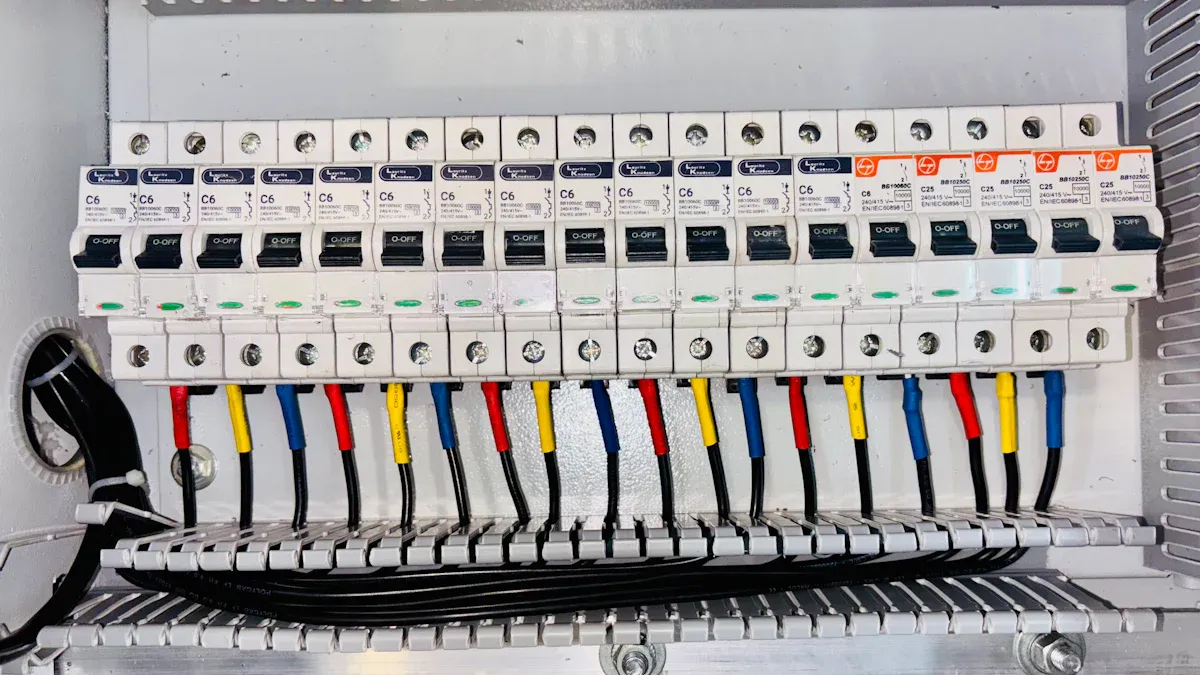
Circuit breakers are critical safety components within a Basic PDU. They protect connected equipment by tripping when the electrical load exceeds safe limits. This mechanism prevents overloads and the electrical fires they can cause. Industrial-grade resettable circuit breakers automatically cut power when an overload is detected. This automatic shut-off safeguards both the PDU itself and all devices plugged into it. By isolating the issue to a specific circuit, circuit breakers also help reduce downtime.
Resetting Procedures for Circuit Breakers
When a circuit breaker trips, it typically moves to an "off" or "tripped" position. Users can restore power by first identifying the cause of the overload, then reducing the load, and finally pushing the breaker switch back to the "on" position. This simple procedure allows for quick recovery without replacing fuses.
Indicator Lights on a Basic PDU
Power Status Indicators
Indicator lights provide immediate visual feedback on the PDU’s operational status. A power status indicator, often a green LED, confirms the PDU receives power and is functioning correctly. This allows for quick verification of power availability.
Circuit Breaker Status Indicators
Some PDUs include indicator lights for individual circuit breakers. These lights illuminate when a specific breaker trips, quickly identifying the affected circuit. This feature simplifies troubleshooting and minimizes diagnostic time.
Grounding and Safety Standards for a Basic PDU
Importance of Proper Grounding
Proper grounding is fundamental for electrical safety. It provides a safe path for electricity to flow in case of a fault, preventing electric shock and protecting equipment from damage. All electrical solutions must have an installation configuration compliant with the National Electrical Code (NEC), specifically NEC 70.
Safety Certifications (UL, CE)
Reputable manufacturers adhere to strict safety standards, and their products carry relevant certifications. Key safety standards and certifications for PDUs include the UL Listed Mark, primarily for products sold in the U.S. and Canada. This mark ensures products are reasonably free from risks like electric shock and fire. The CE Mark is required for electronic devices sold in the European Union (EU). Manufacturers often self-certify compliance with directives like the low-voltage directive (LVD).
Other important standards include the IEC CB Scheme, a global standard allowing mutual recognition of testing. The new IEC 62368-1 standard applies to PDUs. FCC Compliance certifies a device’s electromagnetic emissions do not cause interference. The UKCA Mark is a new certification for products marketed in Great Britain. UL 1640 applies to portable power distribution units used in industrial and commercial settings, ensuring their design, assembly, and materials are safe. For basic PDUs, specific UL standards apply: UL 1363 for Relocatable Power Taps, UL 962A for Furniture Power Distribution Units (FPDUs), and UL 111 for Multioutlet Assemblies. These certifications assure users of the product’s safety and reliability.
Material and Build Quality of a Basic PDU
The material and build quality of a power distribution unit significantly influence its performance and lifespan. High-quality construction ensures durability and reliable operation. It also contributes to the safety of connected equipment.
Durable Construction for Longevity
A robust PDU features components designed for long-term use. For instance, the plug often has an ABS outer shell. It uses 0.5mm phosphor bronze nickel-plated pins. Manufacturers construct it with an integrated injection molding process. This method ensures sturdiness and stability, preventing pins from detaching. The cable’s outer skin is made of flame-retardant PVC. Its inner core consists of pure copper, insulated with PVC plastic. A black flame-retardant PVC outer skin encases the entire cable.
The socket strip is modularly designed, often featuring new national standard sockets. Its shell uses flame-retardant PC plastic with a UL 94V1 rating. The internal metal socket pieces are 0.5mm thick phosphor bronze. A pure copper backplate supports these pieces, with permanent solder connections between the copper and socket components. This meticulous construction ensures a secure and lasting power connection. The outer shell, typically made from aluminum alloy with a black coating, further enhances durability. This material choice makes the unit lightweight and simple.
Effective Heat Dissipation Design
Effective heat dissipation is crucial for maintaining optimal operating temperatures and preventing equipment damage. The aluminum alloy outer shell, common in many PDUs, plays a vital role in this aspect. Aluminum is an excellent thermal conductor. Its design helps dissipate heat generated by the electrical current. This prevents the PDU from overheating, which could otherwise lead to reduced efficiency or component failure. A well-designed PDU ensures that heat does not accumulate. This protects both the PDU and the sensitive electronic devices it powers. Proper heat management extends the lifespan of the unit and maintains consistent power delivery.
Optimizing Your Setup with the Right Basic PDU
Integrating Your Basic PDU with Existing Infrastructure
Compatibility with UPS Systems
A power distribution unit acts as a crucial link between power sources and IT equipment. It receives power input from a UPS system and then distributes this power to multiple outlets within a rack. This arrangement ensures continuous power delivery. The UPS supplies backup power to all connected devices through the PDU during power outages. A typical setup involves the UPS connecting to utility power, the PDU drawing power from the UPS, and all devices subsequently receiving power from the PDU. CyberPower Basic Power Distribution Units are designed for reliable, unfiltered power distribution from a UPS system, generator, or utility source to multiple devices. These PDUs intentionally exclude features like surge suppression or line filtering. This prevents potential interruptions to power flow, guaranteeing continuous power availability.
Placement within Server Racks or Cabinets
Proper PDU placement within server racks or cabinets ensures safe power connection, adequate airflow, and easy accessibility. In dense data centers, users place PDUs at the rear. This prevents power cords from blocking ventilation. In industrial cabinets, consider side panel or bottom installation. This accommodates specialized equipment and wiring. Environmental factors like airflow direction, temperature, and cable access points influence the decision. Well-planned PDU placement improves cooling, reduces clutter, and minimizes accidental cable disconnections.
| PDU Type | Installation Method | Key Benefits |
|---|---|---|
| 0U Vertical PDU | Vertically | Maximizes usable rack space, clean layout, efficient cable routing, better airflow |
| 1U Vertical PDU | Vertically | Maintains vertical power distribution, fits smaller spaces |
| 1U Horizontal PDU | Horizontally | Direct front/rear access to outlets, convenient for monitoring |
| 2U Horizontal PDU | Horizontally | More outlets, circuit breakers, communication modules |
Long-Term Reliability and Maintenance of a Basic PDU
Expected Lifespan and Durability
Robust construction and quality materials contribute significantly to a PDU’s expected lifespan. Units built with durable components, like flame-retardant PVC and pure copper wiring, offer longevity and consistent performance. This durability minimizes the need for frequent replacements.
Basic Maintenance Practices
Regular maintenance ensures the long-term reliability of a PDU. Users should inspect the unit monthly for wear, frayed cables, and loose parts. Quarterly tasks include cleaning dust, tightening components, and testing breakers. Annually, conduct infrared scans, update firmware, and check grounding. Every three years, evaluate the unit for potential upgrades and assess power quality.
Maintaining appropriate environmental conditions is crucial for PDU reliability. ASHRAE recommends keeping humidity between 40% and 60%. This prevents static discharge and condensation. Data centers typically maintain temperatures between 18°C and 27°C (64.4°F and 80.6°F). This avoids overheating and moisture issues. Environmental monitoring systems track power, temperature, humidity, and airflow. They provide alerts and enable proactive adjustments. To enhance airflow, keep vents and fans clear. Use perforated rack doors and raised floors. Arrange equipment in hot and cold aisle layouts. Inspect and clean cooling fans and filters regularly. Organize cables with ties or trays to prevent airflow blockages.
Manufacturer Reputation and Warranty for a Basic PDU
Choosing Reputable Basic PDU Brands
When selecting a PDU, consider the manufacturer’s reputation. Evaluate reliability and durability, including power capacity, outlet configurations, build quality, and safety features. Customer reviews offer insights into real-world reliability. Assess the cost and value for money. Prioritize models that simplify setup and daily operation. These include tool-less mounting, clear labeling, and user-friendly designs. Evaluate the manufacturer’s support system and comprehensive warranty offerings. Tripp Lite and Vertiv Geist are known for dependable power solutions and robust build quality.
Understanding Warranty Coverage and Support
Manufacturers offer various warranty coverages and support for their products. Some provide a lifetime warranty. Support resources often include FAQs, product warranty information, warranty lookup tools, user manuals, datasheets, and guides. These resources assist users with installation, troubleshooting, and general product inquiries.
Selecting the best basic PDU requires careful consideration of several key factors. Users must assess load capacity, ensuring the PDU handles total equipment wattage with a 20-30% buffer for future expansion. The form factor, whether rackmount or standalone, must fit the physical setup. Crucially, the PDU needs the correct number and types of outlets (e.g., NEMA 5-15, IEC C13, C19) to match connected devices. Voltage and amperage compatibility are also essential for safe operation.
Empowering your decision for a reliable power setup involves understanding these core requirements. This ensures efficient and safe power distribution.
Final recommendations for basic PDU implementation include planning for future growth and redundancy. Always calculate total rack power and ensure voltage, amperage, and phase compatibility. Choose a PDU with sufficient capacity and the correct outlet configuration. Prioritize safety features like circuit breakers and UL certification.
FAQ
What is the main function of a Basic PDU?
A Basic PDU primarily distributes electrical power from a single source to multiple devices. It ensures reliable power delivery without offering advanced monitoring or control features. This unit simplifies power management in various setups.
How does a Basic PDU compare to a standard power strip?
A Basic PDU offers enhanced durability and higher amperage ratings than a standard power strip. It is specifically designed for IT environments, providing more robust power distribution for servers and networking equipment. Power strips are for general use.
When is a Basic PDU the best choice for a setup?
A Basic PDU is ideal for setups needing cost-effective and straightforward power distribution. It suits small server rooms, office environments, and non-critical IT racks where advanced power monitoring is not a requirement.
What voltage options are common for Basic PDUs?
Common voltage options for Basic PDUs include 120V, 208V, and 240V in North America. Other regions primarily use 230V. Users must match the PDU’s voltage to their power source for safe operation.
Do Basic PDUs include circuit breakers?
Yes, reliable Basic PDUs include circuit breakers. These components provide essential overload protection. They automatically cut power when the electrical load exceeds safe limits, safeguarding connected equipment from damage.
Can a Basic PDU work with a UPS system?
Yes, a Basic PDU integrates seamlessly with a UPS system. The PDU draws power from the UPS and distributes it to connected devices. This setup ensures continuous power delivery, especially during outages.
What are the typical mounting options for Basic PDUs?
Common mounting options for Basic PDUs include horizontal rackmount (1U/2U), vertical rackmount (0U), wall-mount, and under-desk solutions. The choice depends on available space and specific installation needs.
Post time: Dec-26-2025