

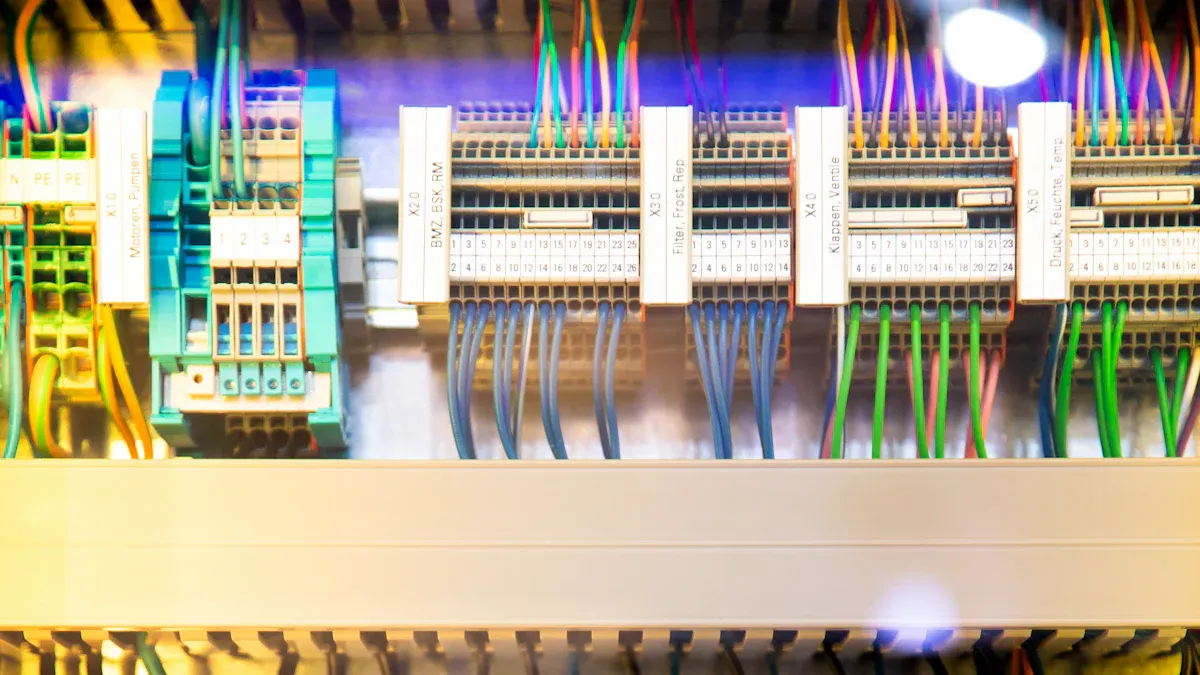
A Power Distribution Unit (PDU) is a professional solution for efficient and secure power distribution. It delivers stable electrical power from the main supply to multiple devices in environments like data centers. The fundamental purpose of a Power Distribution Unit is to achieve energy visualization and reliable equipment operation. Facilities utilizing modern PDUs, even a Basic PDU, often observe a 2% to 3% overall efficiency improvement. This enhances overall system performance.
Key Takeaways
- A Power Distribution Unit (PDU) gives power to many devices from one main source.
- PDUs come in different types, like Basic, Metered, Monitored, and Switched, each with different features.
- Intelligent PDUs help save energy and keep equipment running by watching power use and allowing remote control.
- Circuit breakers and fuses inside PDUs protect devices from too much power, keeping them safe.
- Choosing the right PDU means knowing how much power you need and picking the correct plug types.
- Properly installing a PDU with good cable management and grounding makes sure it works well and is safe.
- PDUs are important for data centers to manage power, save money, and keep equipment working without problems.
How a Power Distribution Unit Functions
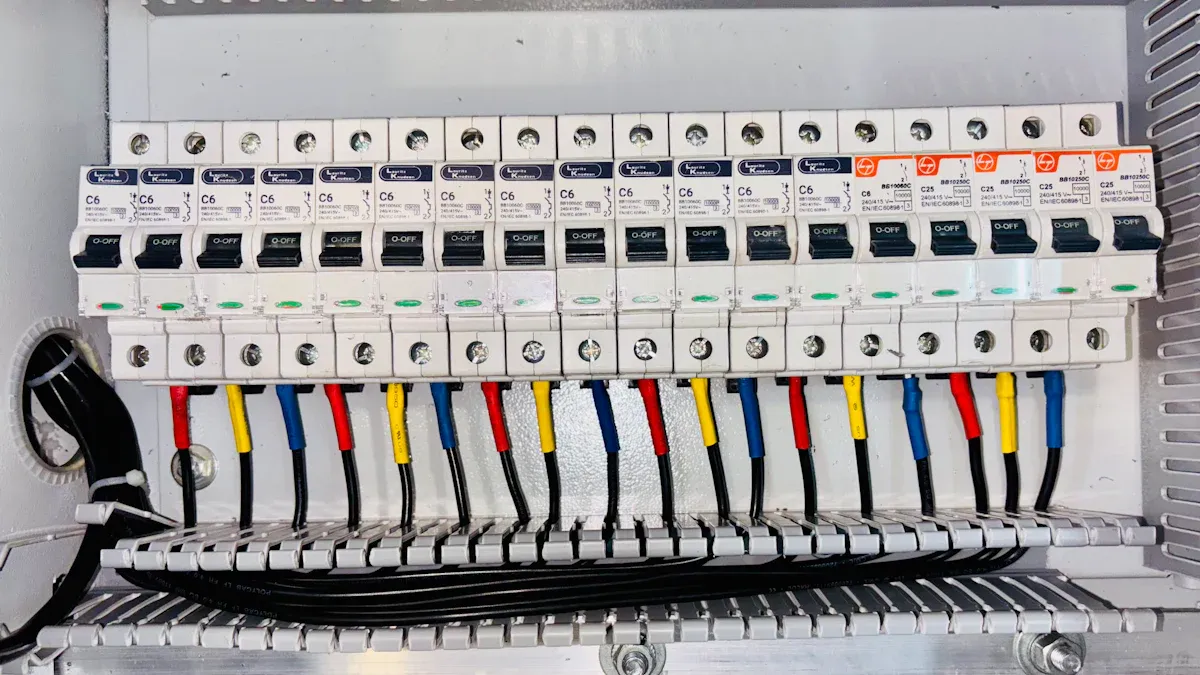
Power Input and Distribution in a Power Distribution Unit
Receiving Incoming Power
A Power Distribution Unit receives electrical power from a main source. This source can be a wall outlet, an uninterruptible power supply (UPS), or a generator. The PDU acts as an intermediary. It takes the single incoming power feed and prepares it for distribution. Standard PDUs operate at 120 Volts, 240 Volts, or 120/208 Volts. Custom options can handle up to 600 Volts. They typically come with amperage ratings of 15 Amp, 20 Amp, or 30 Amp capacities. This ensures compatibility with various power infrastructures.
Distributing Power to Outlets
After receiving power, the PDU distributes it to multiple output receptacles. These outlets connect to various IT equipment, servers, or industrial devices. The PDU efficiently manages the power flow. It ensures each connected device receives the necessary electrical current. This centralized distribution simplifies cable management and reduces clutter in racks and cabinets.
Internal Mechanics of a Power Distribution Unit
Wiring and Circuitry
The internal mechanics of a PDU involve robust wiring and sophisticated circuitry. Manufacturers build PDUs with premium conductive materials. This ensures stable operation even under high-power conditions. The internal wiring routes the incoming power safely to each individual outlet. The circuitry also includes components that monitor and manage power flow. PDUs incorporate automatic detection features. They use sensors and intelligent algorithms to monitor parameters like voltage fluctuations, overloaded circuits, power surges, and temperature abnormalities. This real-time monitoring identifies potential issues promptly. It mitigates the risk of equipment damage or system downtime.
Circuit Breakers and Fuses
Circuit breakers and fuses are critical safety components within a PDU. They protect against overloads, ensuring connected devices operate within safe limits. Surge protection safeguards sensitive equipment from power spikes and voltage fluctuations. PDUs employ various types of circuit breakers and fuses. Dual-element or slow-blow fuses are common at the input of power supplies. They handle large inrush currents and clear large fault currents. Thermal circuit breakers, often found in plug strips, use differential expansion of metals to open electrical contacts. Thermal-magnetic circuit breakers combine a bi-metallic element for thermal tripping and a magnetic-assist winding for faster response to heavy fault currents. Main circuit breakers for backup protection are also thermal-magnetic units. These protective mechanisms prevent damage to expensive equipment and ensure continuous operation.
Types of Power Distribution Units
Organizations deploy various Power Distribution Unit types to meet diverse power management needs. Each type offers specific functionalities, ranging from basic power delivery to advanced monitoring and control.
Basic Power Distribution Units
Simple Power Distribution
Basic Power Distribution Units provide straightforward power distribution. They deliver power from a single input source to multiple output receptacles. These units offer reliable power connectivity without advanced features like monitoring or remote control. They serve as fundamental power strips for data centers and server racks.
Cost-Effective Solutions
Basic PDUs represent a highly cost-effective solution for power distribution. They are most economical when the primary requirement involves simple power delivery without the need for remote management capabilities. Budget constraints often dictate this choice. A non-monitored PDU sufficiently powers equipment in many operational scenarios. In large data centers with numerous server racks, basic or metered PDUs prove most cost-effective. The main objectives in such environments are to conserve physical space and reduce overall costs. While power consumption is monitored at various levels, individual PDU monitoring may not offer significant additional value. This makes simpler PDU types a practical and economical choice.
Metered Power Distribution Units
Local Power Monitoring
Metered Power Distribution Units offer local power monitoring capabilities. They provide real-time data directly on the unit itself. Users can view critical power parameters without needing a network connection. This local visibility helps manage power consumption effectively.
Current and Voltage Displays
These PDUs typically feature integrated displays. They show current, voltage, and sometimes power consumption (kW) for the entire unit. This immediate feedback allows administrators to observe power usage trends and prevent overloads. The IEC 61557-12 standard classifies Power Metering and Monitoring Devices (PMDs) and defines performance classes. For instance, a class 1 ‘directly connected PMD’ offers at least equivalent performance to a class 0.5 ‘sensor-operated PMD’ when installed with a class 0.5 sensor. For kilowatt-hour (kWh) measurements, crucial for determining actual power usage, an accuracy of +/- 1% is considered ‘billing-grade’ accuracy. This level of precision is important whether customers are billed based on consumption or if power consumption is merely reported, as highlighting kWh can drive efficiency efforts.
Monitored Power Distribution Units
Remote Power Monitoring
Monitored Power Distribution Units elevate power management through remote capabilities. They allow administrators to monitor power usage from a central location. This remote access provides critical insights into power consumption, enabling proactive management and troubleshooting. Users can access data via a network interface, often through a web browser or network management system.
Environmental Sensor Integration
Monitored PDUs often integrate with various environmental sensors. This capability enhances their utility beyond just power monitoring.
- Temperature sensors
- Humidity sensors
- Air pressure sensors
Environmental sensors connected to intelligent PDUs assist data center managers in improving efficiency. They provide optimal control over AC, heat, and humidity. Intelligent PDUs can integrate with these sensors to monitor conditions such as heat and moisture within a rack. This ensures optimal operating conditions without requiring a separate monitoring solution.
Switched Power Distribution Units
Switched Power Distribution Units offer advanced control over individual outlets. They provide administrators with the ability to manage power remotely. This capability enhances operational efficiency and reduces the need for physical intervention in data centers.
Remote Outlet Control
Switched PDUs allow users to turn individual outlets on or off from a remote location. This feature is crucial for managing equipment in large or geographically dispersed facilities. It enables administrators to power cycle devices without being physically present. Common protocols facilitate this remote control:
- RS-232
- Modbus
- HTTP
- SNMP
These protocols ensure secure and reliable communication between the PDU and the management system.
Power Cycling Capabilities
The ability to power cycle individual outlets is a significant advantage of switched PDUs. If a server or network device becomes unresponsive, administrators can remotely reboot it. This action often resolves minor issues, preventing extended downtime. It also helps in performing scheduled maintenance or upgrades without disrupting other connected equipment. This precise control over power delivery optimizes uptime and streamlines troubleshooting processes.
Form Factors of Power Distribution Units
Power Distribution Units come in various physical configurations, known as form factors. These designs cater to different installation environments and space requirements within data centers and server rooms.
Rack-Mount PDUs
Rack-mount PDUs are specifically designed for installation within standard server racks. They integrate seamlessly into existing infrastructure. These units come in different sizes and mounting options. Horizontal rack-mount PDUs occupy rack space, typically measured in U (1U equals 1.75 inches or 44.45 mm). They are commonly available in 1U or 2U sizes and offer 8 to 16 outlets. Vertical rack-mount PDUs install at the back or side of the rack enclosure. They do not take up critical equipment mounting space. These vertical units can hold up to 54 outlets, making them suitable for high-density environments. Flexible mounting options include 0U, 1U, or 2U configurations. Mounting methods often involve tool-free mounting using pegs or bracket mounting with L-brackets and screws.
Vertical PDUs
Vertical PDUs, often referred to as 0U PDUs, mount vertically along the side of a server rack. This design maximizes space efficiency within the rack. They provide a large number of outlets, making them ideal for powering multiple devices in a single rack. Their placement ensures easy access to power connections without obstructing airflow or equipment access.
Under-Cabinet PDUs
Under-cabinet PDUs offer a solution for environments where rack space is limited or unavailable. They mount beneath cabinets, desks, or other surfaces. This form factor provides convenient power access in non-traditional IT settings or smaller office environments. They are compact and versatile, delivering reliable power distribution where needed.
Basic vs. Intelligent Power Distribution Units
Understanding the Differences in Power Distribution Units
Core Functionality Comparison
Organizations often choose between basic and intelligent PDUs based on their specific operational needs. A basic PDU primarily focuses on reliable power distribution. An intelligent PDU, however, offers a much broader range of capabilities. The table below highlights these key functional differences:
| Feature | Basic PDU | Intelligent PDU |
|---|---|---|
| Power Distribution | Yes | Yes |
| Multi-point Metering | No | Yes |
| Sequenced Outlet Power Cycling | No | Yes |
| Remote Management | No | Yes |
| Environmental Monitoring | No | Yes |
| Asset Tracking | No | Yes |
| Infrastructure Security | No | Yes |
Intelligent PDUs provide significant advantages beyond simple power delivery. They help customers find stranded power capacity. They also prevent aisles from overheating, which avoids server failures. These advanced units enable savings of thousands of megawatt hours by powering down labs during off-hours. Intelligent PDUs offer solutions for making data centers more reliable, efficient, and environmentally sound.
Data Center Applications
Different types of intelligent PDUs cater to specific data center applications. Each design optimizes power delivery and management for particular use cases.
| IPDU Type | Designed For | Use Case |
|---|---|---|
| High-Density IPDU | High-power devices (blade servers, AI workloads) | Racks with GPUs or other power-intensive components |
| Modular IPDU | Modular expansion of outlets or features | Scalable data centers with growing demands |
| Colocation IPDU | Customer-specific power monitoring/metering | Colocation facilities requiring tenant-level billing |
| Socket Level Monitoring | Optimizing energy use, ensuring reliability | Data Centers, Edge Sites, Colocation Facilities, IT Operations |
| General IPDU | Power redundancy, preventing overloading | Data Centers, Colocation Facilities, Remote Sites, High-Density Racks |
These specialized PDUs ensure optimal performance and efficiency across diverse data center environments.
Benefits of Intelligent Power Distribution Units
Enhanced Efficiency and Uptime
Intelligent PDUs significantly enhance efficiency and uptime in critical IT infrastructures. They optimize energy usage, leading to reduced electricity bills. Real-time monitoring helps identify underutilized equipment. This allows for workload redistribution, cutting down on waste. Features like overload protection and environmental monitoring prevent costly equipment failures. This minimizes repair costs and extends equipment lifespan. Many users find that the savings generated by smart PDUs outweigh the initial investment within a few years. Intelligent Power Distribution Units enable companies to reduce their overall energy bills by as much as 15-20% in the IT landscape. This significant reduction in energy costs is a direct financial benefit that drives their adoption.
Advanced Management Features
Intelligent PDUs offer advanced management features for superior power control. They provide expanded daisy chaining, connecting up to 32 iPDUs using dual 1GB network ports on a single IP and network switch port. A hot-swappable controller allows replacement without interrupting power, ensuring continuous uptime. Intelligent PDUs offer a Universal PDU (uPDU) with a Universal Inlet, enabling easy replacement of facility-side cord sets to adapt to changing power demands. They also automatically detect various digital sensors, including environmental sensors, to enhance power optimization and monitoring.
Energy Consumption Optimization
Intelligent PDUs play a crucial role in optimizing energy consumption. Their ability to monitor power at multiple points allows administrators to identify inefficiencies. Remote control features enable precise power management, such as powering down idle equipment. This proactive approach to energy management reduces operational costs and supports sustainable data center practices.
Key Components of a Power Distribution Unit
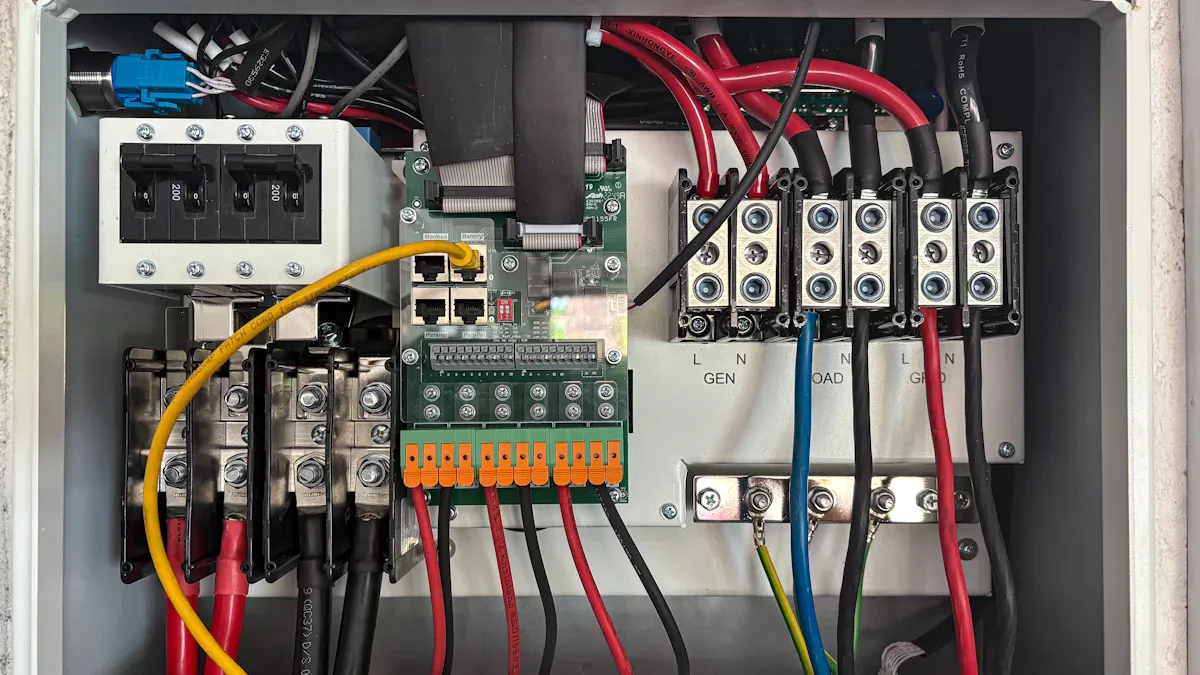
Input Power Cord and Plug for a Power Distribution Unit
Connector Types and Standards
The input power cord and plug are crucial for connecting a Power Distribution Unit to its power source. Various connector types and international standards ensure compatibility and safety. The International Electrotechnical Commission (IEC) sets standards like IEC 60320, which includes common connectors such as C13, C14, C19, and C20 plugs. IEC 60309 connectors, used in industrial settings, are color-coded for voltage and designated by pole, earth, and neutral pins. The National Electrical Manufacturers Association (NEMA) standards, prevalent in North America, designate plugs with ‘P’ and receptacles with ‘R’. Common NEMA types include 5-15P, L5-20P, and L6-30P, where ‘L’ indicates a locking plug. Proprietary connectors like the Hubbell CS8365C also exist. Additionally, international power cords feature various plug types such as Type B, Type G, and Type I, accommodating global power infrastructures.
Amperage and Voltage Ratings
Input power cords and plugs come with specific amperage and voltage ratings. These ratings must match the power source and the PDU’s capacity to ensure safe and efficient operation. NEMA cords, for instance, range from 15 to 60 amperes and 125 to 600 volts. The IEC 60320 standard applies to appliances up to 250 volts. Selecting the correct rating prevents overloading and potential electrical hazards.
Output Receptacles of a Power Distribution Unit
NEMA and IEC Standards
Output receptacles on a PDU adhere to specific NEMA and IEC standards, ensuring compatibility with connected equipment. The NEMA 5-15R is a standard 15-ampere electric receptacle found in the United States, Canada, and other regions. NEMA 5 devices are three-wire grounding devices rated for a maximum of 125 V, including 5-15, 5-20, and 5-30 variants. NEMA 6 devices are three-wire grounding devices used for 208 V and 240 V circuits, rated for a maximum of 250 V. Specialized NEMA L21, L22, and L23 connectors are designed for wye three-phase circuits with neutral and ground, commonly used in live event power distribution.
Number and Type of Outlets
PDUs offer a varying number and type of outlets to accommodate diverse equipment needs. The choice depends on the density of devices and their power requirements. Some PDUs feature a mix of NEMA and IEC outlets to support different equipment types within the same rack.
Circuit Breakers and Overload Protection in a Power Distribution Unit
Automatic Shutoff Mechanisms
Circuit breakers provide essential overload protection within a PDU. They automatically shut off power during an overload event. Thermal-magnetic circuit breakers detect overloads using a bimetallic strip for sustained overcurrents and an electromagnet for instantaneous response to large surges. The thermal component allows brief current spikes, while the magnetic element trips the breaker quickly for very large overcurrents. Magnetic-hydraulic circuit breakers use a solenoid coil and a viscous fluid for a hydraulic time delay, accommodating short current surges. However, short-circuit currents generate enough force to trip the breaker immediately. All circuit breakers detect fault conditions through heating or magnetic effects, then open contacts using stored mechanical energy.
Resetting Procedures
After a circuit breaker trips, users must follow specific procedures to reset it. Typically, this involves identifying the cause of the overload, disconnecting some equipment if necessary, and then manually resetting the breaker switch. This process restores power to the affected outlets.
Status Indicators and Displays on a Power Distribution Unit
A Power Distribution Unit provides visual feedback to users through various indicators. These indicators help administrators understand the unit’s operational status and identify potential issues quickly.
LED Status Lights
LED status lights offer immediate visual cues regarding the PDU’s condition and the status of connected channels. Different colors and blinking patterns convey specific information. For instance, a blue solid light indicates the device is on but has not established communication. A green solid light confirms main communication with the roboRIO. Magenta blinking signals a “Keep Alive Timeout,” while solid cyan shows a secondary heartbeat, indicating a connection to the REV Hardware Client. Other patterns alert users to various faults:
- Orange/Blue Blinking: Low Battery
- Orange/Yellow Blinking: CAN Fault
- Orange/Cyan Blinking: Hardware Fault
- Orange/Magenta Blinking: Device Over Current
Channel status LEDs also provide critical information. An LED off means the channel has voltage and operates as expected. A red solid light indicates no voltage and an active fault, such as a tripped circuit breaker. A red blink signifies a sticky fault on the channel. Switched channel LEDs follow a similar logic, with a red solid light indicating no voltage and a blown fuse, and a red blink showing a sticky fault like a blown fuse.
Additional LEDs monitor specific functions:
- Charge LED (red): Solid on means the battery is charging; off means fully charged or not charging. Blinking indicates the battery cannot charge or is already full.
- RX LED (green): Blinks as array data passes.
- TX LED (red): Blinks as command data comes from SAARecorder.
- Bluetooth LED (blue): Blinks when the connection is not established; solid on when connected.
- Power Button LED (green): Solid on means the PDU runs; off means sleep mode.
- SAA Power On LED (red): Solid on means power is supplied to the ShapeArray.
- Battery Gauge LEDs (green): Three lit LEDs indicate a full charge; one blinking LED indicates a low charge.
Outlet status LEDs also communicate important information:
- Red: Outlet is on.
- Green: Outlet is switched off.
- Flashing Green and Red: Outlet is on, but the circuit breaker is tripped.
- Flashing Green: Power to the outlet is switched off, and a circuit breaker is tripped.
- Flashing Red: Outlet has reached its upper current threshold limit.
- Blinking Red (on outlet monitored PDUs): Over current threshold has been breached on that specific outlet.
- No light: No power is delivered to the outlet board or outlets; the PDU may be powered off.
During PDU boot-up, lights cycle from Green to Yellow to Red, indicating controller initialization.
Digital Readouts
Digital readouts on a PDU offer precise numerical data. These displays typically show real-time measurements of current (amperage), voltage, and sometimes power consumption (kilowatts). Administrators use this information to monitor power usage, balance loads, and prevent overloads. Digital readouts provide a clear, immediate understanding of the PDU’s electrical performance.
Network Interface for Intelligent Power Distribution Units
Intelligent PDUs include network interfaces. These interfaces enable remote management and monitoring capabilities.
Ethernet Ports
Ethernet ports provide the physical connection for an intelligent PDU to a network. These ports allow the PDU to communicate with network management systems and other devices. Through this connection, administrators can access the PDU’s features from any location with network access.
SNMP and Web Interface
Intelligent PDUs support various network protocols for remote communication. These protocols include:
- HTTP
- HTTPS
- SNMP
- DHCP
- UDP
SNMP (Simple Network Management Protocol) is particularly important.
If you plan to deploy more than a handful of PDU units, then they have to be capable of integrating into your current alarm monitoring system. And most of these monitoring systems are based on SNMP. So, if your PDU is able to output SNMP, it will give you a big advantage when you’re trying to integrate it with your master station (SNMP manager).
SNMP allows the PDU to send trap notifications, alerting administrators to critical events like overloads or power failures. A web interface provides a user-friendly graphical environment. Users can configure settings, view data, and control outlets through a standard web browser. This combination of SNMP and a web interface offers comprehensive remote management capabilities.
Choosing and Installing a Power Distribution Unit
Selecting and installing the correct Power Distribution Unit is crucial for maintaining an efficient and reliable power infrastructure. Careful planning ensures optimal performance and prevents potential issues.
Assessing Power Requirements for a Power Distribution Unit
Accurately assessing power requirements is the first step in choosing a PDU. This involves understanding current power consumption and anticipating future needs.
Total Load Calculation
Calculating the total power load for equipment connected to a PDU requires a systematic approach.
- Identifying Electrical Loads: This involves listing all power-consuming devices. One categorizes them as continuous, non-continuous, or intermittent. One gathers data from site inspections, circuit drawings, and equipment nameplates.
- Calculating Total Connected Load: One sums the ratings of all identified loads. One converts them to a common unit like kilowatts (kW) or kilovolt-amperes (kVA). One ensures phase balance for both single-phase and three-phase circuits.
- Determining Demand Factors: One applies adjustment factors to the connected load to reflect actual usage. Not all equipment operates at full capacity simultaneously. The National Electrical Code (NEC) provides standard demand factors.
- Creating Load Schedules: One organizes all results into a structured format. This lists each circuit, its load type, voltage, current, demand factor, phase assignment, and breaker size for design and documentation.
For 3-phase PDUs, one calculates the total power in Watts using the formula: Voltage × Current × Power Factor × √3. For instance, a system with 208V, 30A, and a 0.95 power factor would have a total power capacity of 10,260 Watts. Additionally, load balancing is crucial. It ensures even distribution of electrical load across all three phases. This prevents issues like overheating, energy waste, and equipment failure. It thereby improves system efficiency and extends equipment lifespan.
Future Expansion Considerations
When assessing PDU requirements for future expansion, one must plan for anticipated power needs. This involves utilizing advanced tools like Data Center Infrastructure Management (DCIM) platforms. These platforms provide a detailed overview of energy consumption and equipment efficiency. They aid in making informed decisions and improving forecast accuracy. Additionally, leveraging predictive analytics powered by AI and machine learning can optimize load requirement forecasts and enhance demand planning. Automated alert systems ensure quick responses to power shifts, thereby reducing risks. Employing advanced metering infrastructure further refines demand forecasting and outage response. This ensures an efficient and reliable power distribution system.
One should opt for modular and expandable PDUs. They offer unmatched flexibility for evolving infrastructure requirements. This allows one to scale the power distribution system as needs grow.
- Modular PDUs provide scalability for growing demands.
- They offer faster deployment times.
- They improve cost-effectiveness.
- They enhance fault tolerance and redundancy, ensuring an uninterrupted power supply.
Modular PDUs are ideal for businesses anticipating rapid growth or fluctuating power requirements. To account for future power expansion when assessing PDU requirements, one must define the power output capacity and load requirements. This involves understanding that the PDU’s capacity dictates the electrical load it can handle without overloading. To calculate power needs, one identifies the total wattage of all connected devices. One then adds a buffer of 20-30% to accommodate future expansion or unexpected surges. This ensures the PDU can manage the load even during peak usage, aligning with current and future power requirements.
Selecting the Right Type of Power Distribution Unit
Choosing the appropriate PDU type depends on specific operational needs and desired functionalities.
Basic, Metered, Monitored, or Switched
Different PDU types offer varying levels of functionality. One selects the type based on the required data collection, remote access, and control capabilities.
| PDU Type | Key Functionality | Data Collection | Remote Access | Remote Control |
|---|---|---|---|---|
| Basic PDU | Distributes power to multiple loads | No data collected | No | No |
| Metered PDU | Distributes power; locally monitors load level | Local current meter | No | No |
| Monitored PDU | Distributes power; remotely monitors voltage, power, frequency, and load levels | Real-time and historical data | Yes (via built-in networking) | No |
| Switched PDU | Distributes power; remotely monitors; controls on/off state of individual outlets | Real-time and historical data | Yes (full monitoring capabilities) | Yes (on/off control of individual outlets) |
Each PDU type serves distinct use cases.
| PDU Type | Key Features | Remote Access/Monitoring | Recommended Use Case |
|---|---|---|---|
| Basic Rack PDU | Reliable power distribution, cost-effective, entry-level | No insight into power usage, not network accessible | Small server rooms in close proximity to IT staff |
| Metered Rack PDU | Reliable power distribution, local power consumption data via display (current, voltage, power factor) | Local display only, no network access (unless upgradeable) | Highly secure data centers requiring air-gapped power infrastructure, or facilities anticipating future remote monitoring needs |
| Monitored Rack PDU | All features of basic and metered, plus remote monitoring over network | Remote access to real-time power metrics (down to outlet), automatic alerts, precise power usage tracking, environmental monitoring | High-density data centers, large colocation facilities, cloud providers needing to support fluctuating power loads |
| Switched Rack PDU | All features of monitored, plus remote management | Remote control of on/off state of individual outlets, ability to limit outlet power usage | Any IT deployment (large-scale data center or small remote location), users needing remote reboot capabilities for critical equipment |
Specific Feature Needs
Beyond the core type, one considers specific features. These include the number and type of outlets, surge protection, and environmental sensor integration. For high-density environments, one might prioritize PDUs with a large number of outlets and advanced monitoring capabilities. For remote sites, remote control features become paramount.
Matching Outlet and Plug Types for a Power Distribution Unit
Ensuring compatibility between the PDU and connected equipment is vital for safe and effective operation.
Compatibility with Equipment
One must match the PDU’s output receptacles to the plugs on the equipment. This prevents the need for adapters, which can introduce points of failure or reduce efficiency. One checks the voltage and amperage requirements of all devices. One then selects a PDU with outlets that meet these specifications.
Regional Standards
Regional electrical standards dictate the types of outlets and plugs used.
- NEMA (National Electrical Manufacturers Association): Primarily used in North America for equipment and power utility structures.
- IEC (International Electrotechnical Commission): Recognized globally, allowing equipment to be used internationally. These standards define the configuration of devices like plugs, sockets, and outlets to ensure safety, compatibility, and reliability.
IEC sockets are defined by IEC guidelines and used globally. They are often smaller and are common in consumer electronics, data centers, and industrial machinery due to their compactness, reliability, and flexibility in power distribution. Key advantages include global compatibility, compact design, and adherence to international safety standards. PDU Sockets are established in high-density environments like data centers and server rooms. A PDU typically has multiple outlets, each capable of supplying power independently. Key features include high-density power distribution, monitoring capabilities, and surge protection. The International Electrotechnical Commission (IEC) recognizes fifteen distinct mains plug types worldwide. Each of these types features unique pin shapes, sizes, and grounding mechanisms. They are designed to comply with various national electrical codes.
Installation Best Practices for a Power Distribution Unit
Selecting and installing the correct Power Distribution Unit is crucial for maintaining an efficient and reliable power infrastructure. Careful planning ensures optimal performance and prevents potential issues.
Secure Mounting
Properly mounting a Power Distribution Unit (PDU) within a rack or cabinet ensures stability, safety, and optimal performance. Organizations must verify cabinet dimensions and plan PDU placement for easy access and optimal airflow. Loose mounting can cause misalignment or damage. Therefore, installers must use correct screws and brackets, aligning mounting brackets precisely with cabinet holes. They should avoid rushing the installation process.
Installers must secure all connections to prevent issues. They inspect the PDU and all cables for damage before connecting them. They turn off power to the rack area and wear appropriate safety gear. Installers route the power input cord carefully, avoiding twists or tight bends. They use cable ties or Velcro straps to bundle cables neatly, leaving some slack. Separating power and data cables reduces interference and improves airflow. They label each cable at both ends, often using color-coded labels for easier maintenance. Installers secure cables to the rack using cable management accessories. They connect the PDU to the power source, following the manufacturer’s diagram, ensuring all connections are tight and secure.
After installation, power up and test the rackmount PDU. Installers inspect all incoming and outgoing wires for secure connections and visible damage. They ensure the grounding wire connects securely to the rack’s grounding point. Using a resistance meter, they test insulation resistance; values should exceed 0.5MΩ. Installers perform a no-load test by turning on the PDU without connecting equipment, checking indicator lights and circuit breakers. They connect devices one at a time, monitoring the load to stay within 80% of the PDU’s rated capacity. A multimeter verifies voltage at the PDU’s output terminals. Installers check for warning lights or unusual sounds; if issues arise, they turn off the PDU and inspect connections. They document test results for future reference.
Proper Cable Management
Effective cable management is crucial for maintaining an organized PDU installation. It enhances airflow and accessibility while reducing the risk of accidental disconnections or cable damage. Organizations should use cable management accessories like cable managers and ties to secure power cords within the PDU environment.
Proper cable management offers numerous benefits. It prevents accidents such as tripping hazards and insulation damage. It improves airflow around equipment, reducing overheating. Good cable management simplifies troubleshooting and future upgrades. It also reduces risks of electrical fires or shocks. Ultimately, it optimizes equipment performance by maintaining safer operating temperatures.
Several techniques contribute to effective cable management:
- Cable Trays: These support large cable bundles, allow easy routing, prevent sagging, and protect cables. Installers select trays with sufficient load capacity and consider corrosion-resistant materials.
- Conduits: Conduits provide enclosed pathways for wiring, protecting cables from damage, dust, and moisture. Installers choose conduit types (RMC, EMT, flexible) based on the application and ensure proper installation of bends and junctions.
- Cable Ties: Simple tools for organizing cables, installers avoid overtightening to prevent insulation damage. They consider reusable Velcro ties for flexibility.
- Proper Labeling: This is essential for quick maintenance and troubleshooting. Installers use heat-shrink, self-laminating, or printable adhesive labels, labeling both ends of each cable.
- Segregation of Power and Data Cables: This reduces electromagnetic interference (EMI), which is crucial for data integrity.
- Regular Inspections: Installers periodically check cable systems for wear, loose connections, or signs of overheating.
- Planning for Growth: Designers plan systems with future expansion in mind, oversizing trays and conduits to avoid costly modifications.
Installers plan cable routes before starting installation. They use patch cable managers and D-ring organizers to guide cables. They keep power and data cables separate to prevent interference. Installers avoid over-bundling cables, leaving space for airflow. They label all wires clearly for easy maintenance and follow bend radius rules to protect cables. They bond and ground the rack and shielded cables for safety. Regularly checking cables and replacing worn ones is also important. Installers utilize strong nylon ties for main cables and hook and loop straps for patch cords. They leave at least 2U of space above and below patch panels for cable distribution and airflow.
To improve airflow, organizations choose racks with integrated cable management and perforated doors. They use blanking panels to prevent hot spots. Adding fans or blowers enhances air movement. Conducting room tests verifies airflow. Reducing clutter and consolidating servers minimizes power consumption and heat generation.
Grounding and Safety
Proper grounding is a fundamental safety practice for any electrical installation, including PDUs. It protects personnel from electrical shock and safeguards equipment from damage due to electrical faults or surges. Installers ensure the grounding wire connects securely to the rack’s grounding point. This establishes a safe path for fault currents to dissipate.
Insulation integrity is another critical safety aspect. Installers use a resistance meter to test insulation resistance, ensuring values exceed 0.5MΩ. This test verifies that the wiring insulation effectively prevents current leakage, reducing the risk of short circuits and electrical hazards.
Adhering to safety protocols during installation and operation is paramount. Installers always turn off power to the rack area before working on connections. They wear appropriate personal protective equipment (PPE), such as insulated gloves and safety glasses. Regular inspections of the PDU and its connections help identify potential issues before they escalate. These practices collectively ensure a safe and reliable power distribution system.
Power Distribution Units play a critical role in modern infrastructure. They ensure stable power delivery and reliable equipment operation in data centers and other demanding environments. Selecting the appropriate Power Distribution Unit for specific needs is paramount. This choice depends on required monitoring, control, and operational demands. The future of PDU technology points towards advanced power management. Smart PDUs will offer remote on/off switching and modular designs. They will also integrate USB charging ports. Innovations include intelligent power management, reimagined redundancy, and a strong sustainability imperative. These advancements will further optimize energy use and enhance data center efficiency.
FAQ
What is a Power Distribution Unit (PDU)?
A PDU delivers stable electrical power from a main supply to multiple devices. It ensures efficient and secure power distribution in data centers and server rooms. PDUs help achieve energy visualization and reliable equipment operation.
How does a PDU differ from a standard power strip?
PDUs offer professional-grade power distribution. They include features like overload protection, advanced monitoring, and remote management. Standard power strips provide basic power outlets. PDUs ensure higher reliability and safety for critical IT infrastructure.
What are the primary types of Power Distribution Units?
Primary types include Basic, Metered, Monitored, and Switched PDUs. Basic units offer simple distribution. Metered units provide local monitoring. Monitored units allow remote monitoring. Switched units enable remote outlet control.
How do intelligent PDUs enhance data center efficiency?
Intelligent PDUs optimize energy usage through real-time monitoring and remote control. They identify underutilized equipment and prevent overloads. This leads to reduced electricity bills and extended equipment lifespan. They also provide advanced management features.
What safety features do PDUs include?
PDUs incorporate circuit breakers and fuses for overload protection. They automatically shut off power during fault conditions. This prevents damage to connected equipment. Proper grounding also protects personnel from electrical shock.
Can PDUs help with remote management of IT equipment?
Yes, Monitored and Switched PDUs offer remote management. Monitored PDUs allow remote power usage monitoring. Switched PDUs enable remote control of individual outlets. This includes power cycling devices from a central location.
How do I determine the correct PDU for my needs?
Assess total power requirements, including future expansion. Choose a PDU type (Basic, Metered, Monitored, Switched) based on desired features. Match outlet and plug types to equipment and regional standards. Consider form factors like rack-mount or vertical PDUs.
Post time: Dec-19-2025