


A Basic PDU (Power Distribution Unit) distributes electrical power to multiple pieces of equipment. It draws power from a single source. This unit serves as a fundamental component for efficient, organized power delivery in various environments. Basic PDUs offer straightforward functionality. They focus solely on power distribution, without advanced features. This design simplifies power management for users.
Key Takeaways
- A Basic PDU distributes power from one source to many devices. It is simple and reliable.
- Basic PDUs do not clean or change the power. They pass it directly to your equipment.
- These units have many outlets. They help organize power cables in racks and offices.
- Basic PDUs are cheaper than advanced power units. They are good for simple power needs.
- They prevent too much power from going to one wall outlet. This keeps your equipment safe.
- Choose a Basic PDU based on the number and type of outlets you need. Also check its power limits.
- Install the PDU correctly in your rack. Make sure there is enough space for air to flow.
- Basic PDUs have safety features. These include circuit breakers to stop power if there is a problem.
What Defines a Basic PDU?
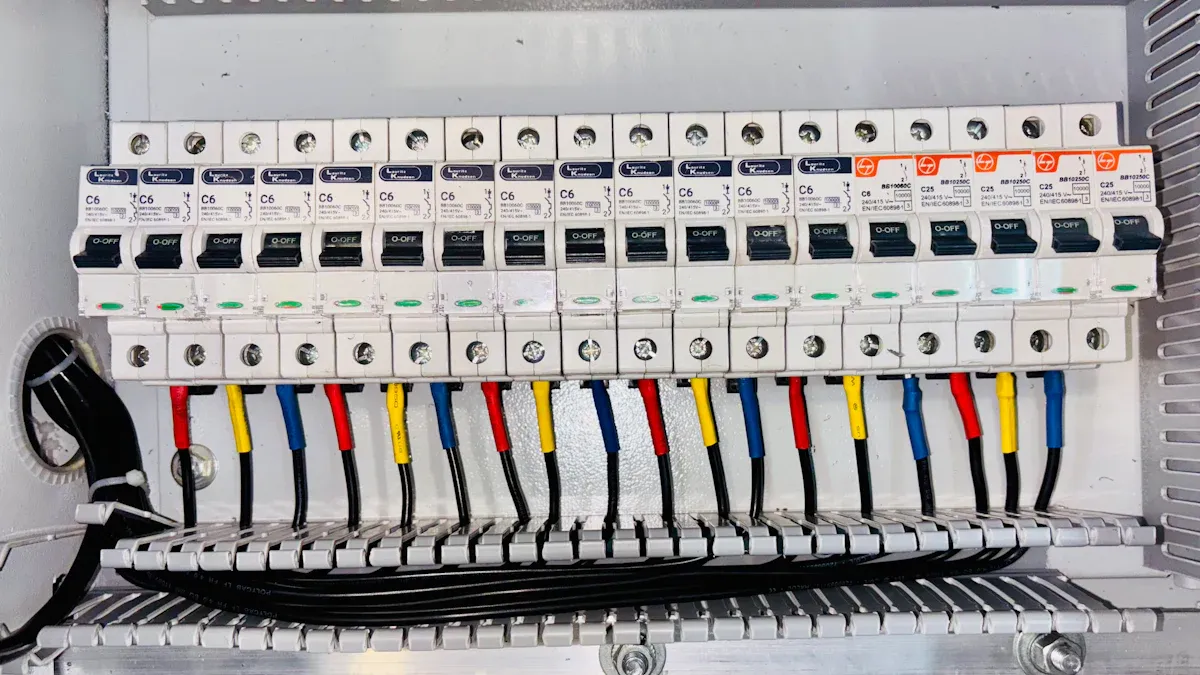
Core Functionality of a Basic PDU
A Basic PDU provides essential power distribution. It ensures electrical power reaches multiple devices from a single source. This unit simplifies power management in various settings.
Unfiltered Power Distribution
Basic PDUs deliver unfiltered power. They pass electricity directly from the input source to connected equipment. This means the PDU does not condition or modify the power in any way. It lacks features like surge suppression or noise filtering. The power delivered remains identical to the power received from the wall outlet or UPS.
Direct Power Pass-Through
Direct power pass-through is a hallmark of Basic PDUs. They act as a conduit, allowing electricity to flow unimpeded. This design ensures reliability and minimizes potential points of failure. The absence of internal processing or conditioning makes these units highly efficient for simple power distribution tasks.
Key Characteristics of a Basic PDU
Basic PDUs possess distinct characteristics that define their role in power infrastructure. These features contribute to their straightforward functionality and widespread use.
Multiple Power Outlets
A primary characteristic of a Basic PDU is its provision of multiple power outlets. These outlets allow users to connect several devices to a single power source. This consolidates power connections and reduces cable clutter. For example, a Basic PDU might offer 10 NEMA 5-15R outlets or a combination of 2 IEC-320 C19 and 6 IEC-320 C13 outlets, catering to different equipment needs. Another configuration could include 12 NEMA 5-20R outlets.
Single Input Power Connection
Basic PDUs typically feature a single input power connection. This connection links the PDU to the main power source, such as a UPS or a wall outlet. The input plug type varies based on regional standards and power requirements. Common input plug types include NEMA L6-30 for 200-240 VAC systems or IEC309 60A 4 PIN for 200-208 VAC 3-phase systems. Standard Basic PDUs are available in 15 Amps, 20 Amps, and 30 Amps. Custom PDUs can handle current capacities up to 400 Amps. They support various voltages, including 240 Vac 1Φ, 120 Vac 1Φ, and 120/208 Vac 3Φ. Many devices feature automatic switching power supplies that can operate with voltages ranging from 120V to 240V.
Often Rack-Mountable Design
Many Basic PDUs feature a rack-mountable design. This allows for easy integration into server racks and network cabinets. They come in various form factors, including horizontal (1U, 2U) and vertical (0U) configurations. This design optimizes space and promotes organized cable management within IT environments. The heavy-duty construction, often using durable materials like steel or aluminum, protects internal components from physical harm. High-quality internal wiring and robust outlet receptacles ensure long-term reliability.
Distinguishing a Basic PDU from Other PDUs
Understanding the differences between a Basic PDU and other types of PDUs is crucial for selecting the right equipment.
Absence of Monitoring Capabilities
A key differentiator for a Basic PDU is its lack of monitoring capabilities. It does not provide real-time data on power usage, voltage, current, or power factor. This contrasts sharply with metered PDUs, which offer real-time monitoring and display live power usage. The absence of monitoring makes Basic PDUs a low-cost, entry-level solution.
Lack of Remote Control Features
Basic PDUs do not offer remote control features. Users cannot remotely switch outlets on or off, nor can they reboot connected devices. This limitation distinguishes them from switched PDUs, which provide remote control over individual outlets. Switched PDUs also offer user authentication and secure network protocols for enhanced security.
Simplicity Compared to Metered or Switched PDUs
The simplicity of a Basic PDU sets it apart from more advanced units. It focuses solely on power distribution without the added complexity of monitoring or control features. Metered PDUs, for instance, provide alerts for approaching circuit limits and user-defined alarms, which Basic PDUs lack. Switched PDUs offer even more advanced features, such as environmental monitoring support and configurable alerts for power thresholds. While Basic PDUs are cost-effective and reliable for simple power distribution, metered and switched PDUs offer enhanced energy management, improved uptime, and remote troubleshooting capabilities at a higher cost. Basic PDUs also include built-in circuit breakers for safety, tripping to cut power and prevent damage or fires if too much power flows through or a short circuit occurs. They also deliberately lack an on/off switch to prevent accidental power-offs of critical equipment.
How a Basic PDU Operates
A Basic PDU functions as a straightforward electrical conduit. It efficiently delivers power from a single source to multiple connected devices. This simplicity defines its operational mechanism.
Simple Electrical Pass-Through
The operational principle of a Basic PDU is inherently simple. It facilitates the direct transfer of electrical power without complex interventions.
Direct Current Flow
A Basic PDU allows electricity to flow directly from its input connection to its output receptacles. It acts as a power strip, distributing the incoming current to all connected equipment. This direct flow ensures consistent power delivery to devices.
No Internal Processing or Conditioning
Basic PDUs do not perform any internal processing or conditioning of the electrical current. They lack features such as surge protection, voltage regulation, or power filtering. The power delivered to connected devices remains identical to the power received from the upstream source, like a UPS or wall outlet. This design prioritizes reliability and minimizes potential points of failure.
Input and Output Connections of a Basic PDU
Understanding the input and output connections is crucial for deploying a Basic PDU effectively. These connections determine compatibility with power sources and equipment.
Common Input Plug Types (NEMA, IEC)
Basic PDUs feature various input plug types, depending on regional standards and power requirements. NEMA connectors are prevalent in North America and other countries adopting US National Electrical Manufacturers Association standards. These connectors handle current ratings from 15 to 60 amperes and voltage ratings from 125 to 600 volts. For instance, the NEMA 5-15P (grounded) plug is common for domestic electrical equipment, and the NEMA 5-15R is the standard 15-ampere receptacle in the United States, Canada, Mexico, Japan, and Taiwan. CyberPower Systems offers several NEMA input plug types for their basic PDUs, including:
- NEMA 5-20P
- NEMA L5-20P
- NEMA L5-30P
- NEMA L6-20P
- NEMA L6-30P Other prevalent input plug types across different regions include CEE (Europe) and IEC 60320, which focuses on connector types like C13, C15, and C19.
Various Output Outlet Types (C13, C19, NEMA 5-15R)
Basic PDUs offer a range of output outlet types to accommodate diverse equipment. Common output outlets include:
- NEMA 5-15R
- IEC-320 C13
- IEC-320 C19
- NEMA 5-20R Manufacturers often configure PDUs with combinations like 12 C13 and 2 C19 outlets, or 6 C13 outlets, to suit specific deployment needs.
Role of a Basic PDU in Power Organization
A Basic PDU plays a vital role in organizing power infrastructure, particularly in rack environments.
Centralizing Power Connections
Basic PDUs centralize power connections for multiple devices. Instead of running individual power cords to distant wall outlets or UPS units, users connect all equipment to the PDU. This simplifies power management and streamlines the setup process.
Reducing Cable Clutter in Racks
Basic PDUs significantly reduce cable clutter within server racks. Vertical (0U) models, mounted along the side of a rack, facilitate organized cable routing. This proper placement helps maintain clear pathways for air circulation, improving airflow and preventing overheating. Organized cabling, enabled by PDUs, is crucial for efficient rack operation, improving safety, simplifying maintenance, and enhancing airflow. Integrated cable management features also enhance airflow efficiency, leading to reduced cooling costs.
Advantages of Using a Basic PDU
Organizations gain several significant advantages by deploying a Basic PDU in their power infrastructure. These benefits range from improved power organization to enhanced cost-efficiency and reliability.
Streamlined Power Distribution with a Basic PDU
A Basic PDU simplifies power management. It provides an organized and efficient way to deliver electricity to multiple devices.
Efficiently Powers Multiple Devices
A Basic PDU efficiently powers numerous pieces of equipment from a single input. This capability eliminates the need for multiple wall outlets or power strips, which often leads to disorganized setups. Users can connect servers, network switches, and other IT gear to a single unit, ensuring all devices receive the necessary power. This consolidation improves overall system efficiency and reduces complexity.
Consolidates Power Sources from UPS or Wall Outlets
This unit consolidates power sources. It allows users to draw power from a single uninterruptible power supply (UPS) or a dedicated wall outlet. This centralization simplifies power management. It also ensures that critical equipment remains powered during outages if connected to a UPS. Consolidating power connections also makes it easier to manage power cycles and troubleshoot issues.
Cost-Effectiveness of a Basic PDU
The cost-effectiveness of a Basic PDU makes it a popular choice for many applications. It provides essential functionality without unnecessary expenses.
Lower Initial Investment for Basic Needs
A Basic PDU offers a lower initial investment. This makes it highly cost-effective for organizations with fundamental power distribution needs. It provides a straightforward solution without the added cost of advanced features. This affordability allows businesses to allocate their budget to other critical infrastructure components.
Ideal for Non-Critical Power Requirements
A Basic PDU is ideal for non-critical power requirements. It serves well in environments such as small server rooms, office setups, and low-density environments. In these situations, advanced monitoring or remote management features are not required. Its affordability, simplicity, and ease of use make it an attractive option for these scenarios. It provides reliable power distribution without the complexity or expense of more advanced units.
Ensuring Reliable Power Delivery with a Basic PDU
Reliable power delivery is crucial for any operational environment. A Basic PDU contributes significantly to maintaining this reliability.
Distributes Power from a Single Source
A Basic PDU distributes power from a single, dedicated source. This method ensures consistent and stable power delivery to all connected devices. By centralizing the power input, it minimizes potential points of failure associated with multiple, disparate power connections. This single-source distribution enhances the overall stability of the power supply.
Prevents Overloading Individual Wall Outlets
This unit helps prevent overloading individual wall outlets. Connecting multiple devices directly to a single wall outlet can exceed its capacity, leading to tripped breakers or power failures. A Basic PDU, with its higher amperage rating and multiple outlets, safely distributes the load across its own capacity. This protects the building’s electrical infrastructure and ensures continuous operation of connected equipment.
Enhanced Cable Management with a Basic PDU
Effective cable management is crucial in any IT environment. It ensures operational efficiency and system longevity. A PDU significantly contributes to achieving this goal.
Organized Power Cords in Racks
PDUs play a vital role in organizing power cords within server racks and cabinets. They provide a centralized point for connecting multiple devices. This consolidation eliminates the need for numerous power strips or direct wall connections. Users can neatly route power cables from equipment to the PDU. This practice reduces tangles and clutter. Vertical (0U) PDUs, mounted along the side of a rack, are particularly effective. They offer numerous outlets along their length. This design allows for shorter, more direct cable runs to individual components. Horizontal (1U or 2U) PDUs also help by providing a clean power distribution point within a rack unit. Organized cabling improves the overall appearance of the rack. It also makes identification and troubleshooting of power connections much easier.
Improved Airflow and Accessibility
Cluttered cables obstruct airflow within server racks. This obstruction can lead to hot spots and inefficient cooling. When power cords are neatly organized and routed, they allow air to circulate freely. This improved airflow helps maintain optimal operating temperatures for IT equipment. Proper cable management also enhances accessibility. Technicians can easily access individual components for maintenance, upgrades, or repairs. They do not need to untangle a mess of wires. This efficiency saves time and reduces the risk of accidental disconnections. Ultimately, better airflow and accessibility contribute to the reliability and longevity of the equipment.
Common Applications for a Basic PDU

Organizations deploy these units across various environments. They provide essential power distribution for diverse equipment.
Basic PDU in Server Racks and Data Centers
Server racks and data centers frequently utilize these power distribution devices. They support the operational needs of many IT components.
Powering Non-Critical IT Equipment
These units power non-critical IT equipment within server racks. This includes devices like patch panels, media converters, and older servers. These components do not require advanced power monitoring or remote control. The units provide a reliable and straightforward power source for them. This approach reserves more advanced PDUs for critical infrastructure.
Auxiliary Device Power for KVMs or Console Servers
These power distribution units also supply auxiliary power. They power support devices such as Keyboard, Video, Mouse (KVM) switches or console servers. These devices manage and access other equipment in the rack. They require consistent power but do not need sophisticated power management features. The units ensure these essential management tools remain operational.
Basic PDU in Network Closets
Network closets benefit significantly from these power distribution devices. They help organize and power crucial networking gear.
Powering Switches, Routers, and Modems
These units power core network devices. This includes switches, routers, and modems. These devices form the backbone of network connectivity. They require a stable power supply to maintain continuous operation. The units deliver this power efficiently, ensuring network uptime.
Organizing Power for Network Infrastructure
These power distribution units offer specific advantages for power organization in network closets. They provide:
- Cost-effective and reliable power distribution, optimizing operations without overspending.
- Streamlined operations due to simplicity and affordability.
- Consistent power delivery without advanced features like monitoring or remote control, ideal for cost-conscious businesses prioritizing reliability.
- A cheaper way to share power in offices.
- Easy setup, requiring no special skills.
- Lower maintenance costs due to simple design and durable components.
- Energy efficiency by delivering power directly without unnecessary consumption from additional features.
- A simplified setup process, accessible even to users with limited technical expertise.
- Reliability in power distribution, ensuring consistent power flow and minimizing outages.
Basic PDU in Audio/Visual Setups
Audio/Visual (AV) environments also find these power distribution devices highly useful. They streamline power for complex media systems.
Powering AV Components in Media Racks
These units power various AV components housed in media racks. This includes amplifiers, mixers, video processors, and display controllers. They consolidate power connections for these devices. This creates a cleaner and more organized setup. It also simplifies troubleshooting power-related issues.
Streamlining Power for Broadcast Equipment
Broadcast facilities utilize these power distribution units to streamline power for their equipment. This includes cameras, monitors, and recording devices. They provide a centralized power point for multiple pieces of gear. This reduces cable clutter and improves efficiency in fast-paced broadcast environments. The units ensure all necessary equipment receives power reliably.
Basic PDU in Workstations and Office Environments
Workstations and office environments often present unique power distribution challenges. These settings require efficient power delivery to numerous devices. Power distribution units offer practical solutions for these common scenarios.
Expanding Outlet Availability for Desktops
Desktops and their associated equipment frequently demand more power outlets than a standard wall receptacle provides. A power distribution unit effectively addresses this limitation. It transforms a single wall outlet into multiple usable connections. This expansion allows users to power their desktop computer, multiple monitors, printers, external hard drives, and other essential accessories from one organized source. This approach eliminates the need for daisy-chaining multiple power strips, a practice that can create safety hazards and clutter. The unit provides a clean, centralized power point, enhancing the overall organization of the workspace. This setup ensures all necessary components receive power reliably without overwhelming individual wall outlets.
Centralizing Power for Multiple Peripherals
Modern office workstations integrate a wide array of peripherals. These include speakers, webcams, smartphone chargers, desk lamps, and various other electronic devices. Managing power for each of these items individually often leads to tangled cables and disorganized workspaces. A power distribution unit centralizes power for all these peripherals. Users connect all their auxiliary devices to the unit, consolidating power connections into a single, manageable hub. This centralization significantly reduces cable clutter under desks and behind equipment. It simplifies power management for the user, making it easier to turn multiple devices on or off simultaneously. This organized power delivery improves the aesthetic appeal of the office environment. It also enhances the functionality of the workspace by providing a streamlined and efficient power solution for all connected devices. This method ensures a tidy and productive work area, free from the distractions of excessive cabling.
Key Considerations When Selecting a Basic PDU
Choosing the right power distribution unit requires careful evaluation of several factors. Organizations must match the unit’s specifications to their specific operational needs. This ensures efficient and reliable power delivery.
Outlet Configuration for a Basic PDU
The outlet configuration directly impacts how many devices a unit can power and what types of devices it supports.
Number of Outlets Required
Users must determine the exact number of outlets their equipment requires. This includes current devices and potential future additions. Overestimating slightly can provide flexibility for growth. Underestimating leads to insufficient power points.
Types of Outlets (C13, C19, NEMA 5-15R)
Different devices use various power connectors. Common output outlets include C13, C19, and NEMA 5-15R. Users must select a unit with outlet types compatible with their equipment. A mix of outlet types often provides the most versatility.
Input Power Specifications for a Basic PDU
Understanding the input power specifications is crucial for safe and compatible operation. These details ensure the unit connects correctly to the power source.
Input Plug Type Compatibility (e.g., NEMA 5-15P, IEC C20)
The unit’s input plug must match the available receptacle. Input connectors attach the unit to the power source. IEC 60320 connectors, such as C13, C14, C19, and C20, are widely used. IEC 60309 connectors serve industrial environments, often color-coded by voltage. NEMA connectors, designated by P for plug and R for receptacle, are common in North America. Examples include 5-15P, 5-20P, L5-20P, and L6-30P. The “L” indicates a locking plug. A Hubbell CS8365C plug is a proprietary locking connector.
Voltage and Amperage Ratings (e.g., 120V, 208V, 15A, 30A)
Users must determine the input voltage, amperage, and number of phases. This information influences the unit’s plug type. Examining the receptacle where the unit will plug in helps determine the correct input. Facility managers or electricians can confirm building power, whether single-phase or three-phase. Most offices use 120V or 208V single-phase power. Low-density racks can use single-phase units. Larger commercial racks may require three-phase power for cost-effectiveness and efficiency. The unit’s amperage rating must exceed the total power demand of connected devices. To calculate amperage from watts, divide watts by voltage.
Mounting Options for a Basic PDU
Mounting options affect space utilization and accessibility within the installation environment.
Horizontal Rack Mounting (1U, 2U)
Horizontal units mount across the rack. They typically occupy 1U or 2U of rack space. This option suits setups where accessibility is a key concern. It works well for smaller racks or environments needing frequent connection changes. Horizontal units provide easy access to outlets and simplify maintenance. They contribute to a cleaner rack layout and aid in quickly identifying issues. However, they occupy valuable rack space, which can be a limitation in high-density environments.
Vertical Rack Mounting (0U)
Vertical units, also known as 0U PDUs, mount vertically. They do not consume any rack units. These units can accommodate 24 or more outlets, some supporting up to 60 connections. They are ideal for high-density data centers where space efficiency is crucial. Vertical units maximize rack space by leaving horizontal units free for IT equipment. They enhance airflow by keeping horizontal space clear. They also simplify cable management and improve ventilation. Accessibility can be challenging in compact setups, and maintenance might be difficult in tight spaces. Installation requires sufficient vertical clearance.
Under-Desk or Wall Mounting Solutions
Beyond rack mounting, some units offer under-desk or wall mounting solutions. These options suit office environments or non-rack setups. They provide flexible placement for power distribution where rack space is unavailable or unnecessary.
Safety Features of a Basic PDU
A Basic PDU incorporates several safety features. These features protect both the connected equipment and the power infrastructure. They ensure reliable operation and prevent potential hazards.
Amperage Rating and Overload Protection
A PDU’s amperage rating defines its maximum safe current capacity. Exceeding this limit can cause overheating and potential damage. Overload protection mechanisms prevent such occurrences. Vertiv’s basic PDUs, for example, include essential overload protection. Schneider Electric’s basic rack PDUs also come equipped with this crucial safety feature. Tripp Lite and CyberPower’s basic rack PDUs similarly offer overload protection. These systems often use industrial-grade resettable circuit breakers. They automatically shut off power when they detect an overload. This action safeguards connected equipment and the power infrastructure. This prevents electrical issues and maintains system integrity.
Built-in Circuit Breakers for Safety
Circuit breakers are essential safety devices within PDU systems. They automatically trip, or open the circuit, when the current exceeds a safe limit. This action protects connected equipment from damage due to overcurrents or short circuits. Eaton’s basic PDUs incorporate features like circuit breakers. These components are vital for preventing overloads and electrical fires. They provide an immediate response to dangerous electrical conditions. This ensures the continuous and safe operation of the power distribution unit and all connected devices. The presence of these circuit breakers offers peace of mind. They act as a critical line of defense against electrical faults.
Installation and Best Practices for a Basic PDU
Proper installation and adherence to best practices ensure optimal performance and longevity for any power distribution unit. These steps also enhance safety and efficiency within the operational environment.
Proper Mounting Techniques for a Basic PDU
Correct mounting of a PDU is crucial for stability and accessibility. It also contributes to effective cable management.
Securing the PDU in a Rack or Cabinet
Technicians must securely fasten the PDU within a rack or cabinet. They use appropriate mounting hardware provided by the manufacturer. This prevents accidental dislodgement or damage. Horizontal PDUs typically occupy 1U or 2U of rack space. Vertical (0U) PDUs mount along the side rails. Proper securing ensures the unit remains stable, even with numerous cables connected.
Ensuring Adequate Space for Airflow and Access
Installers must ensure adequate space around the PDU. This allows for proper airflow, preventing heat buildup. Sufficient space also provides easy access to outlets and circuit breakers. Technicians can then perform maintenance or connect new devices without obstruction. Good spacing contributes to the overall thermal management of the rack.
Effective Cable Management with a Basic PDU
Organized cabling is essential for operational efficiency and system reliability. It also improves safety.
Utilizing Cable Ties and Straps
Cable ties and hook-and-loop straps are invaluable tools for cable management. They bundle cables neatly, preventing tangles and clutter. Users should prefer Velcro or hook-and-loop ties over zip ties. This prevents over-tightening and potential cable damage. Proper use of these accessories maintains an organized and accessible power infrastructure.
Routing Power Cables Neatly to Prevent Obstruction
Routing power cables neatly prevents obstruction and improves organization.
- Separate power cables from data lines. This prevents electromagnetic interference (EMI) and simplifies troubleshooting.
- Avoid routing wires in high-traffic areas. This prevents tripping hazards. Use cable holders or surface-mounted raceways.
- Secure cables with proper support systems. This prevents sagging, damage, or accidental unplugging.
- Ensure cables are spaced evenly and routed using proper guides. This maintains airflow and prevents equipment overheating.
- Avoid stacking, overcrowding, or laying bundles over fan vents.
- Use cables of appropriate length. This avoids strain on ports (if too short) or clutter/airflow obstruction (if too long).
- Avoid sharp bends, kinks, or routing that violates the recommended cable bend diameter. Use sweeping turns.
- Label both ends of every cable clearly. Include type, enclosure, port, and destination for easy maintenance and troubleshooting.
- Follow ANSI/TIA-942 standards and local safety codes. This ensures proper grounding, bonding, and pathway compliance.
Overload Prevention with a Basic PDU
Preventing overloads is critical for protecting equipment and maintaining continuous operation.
Calculating Total Power Draw of Connected Devices
Users must calculate the total power draw of connected devices. This prevents exceeding the PDU’s rated capacity.
- Identify the power rating of the PDU. This is typically found as ‘UL Power Rating’ on the product page (e.g., 1440W for many North American models).
- Find the maximum power rating (in watts) for each device connected to the PDU. This is usually listed under ‘Power Consumption’ on the device’s product page. For PoE devices, include their maximum PoE budget.
- Sum the maximum power consumptions of all devices. This determines the total potential load. This total load must be less than the PDU’s power rating.
- If the total load exceeds the PDU’s capacity, remove devices or acquire additional PDUs to distribute the load. Do not calculate load using average power consumption. Certain devices draw significantly more power at specific times (e.g., amplifiers during startup, security cameras with infrared at night). Always consider peak power consumption to prevent issues.
Avoiding Exceeding the PDU’s Rated Capacity
Exceeding the PDU’s rated capacity can lead to tripped circuit breakers, equipment damage, or even electrical fires. Industry standards recommend incorporating a 20% safety margin when sizing a PDU. This buffer accounts for unexpected surges and additional loads. It reduces the risk of overloading and extends equipment lifespan by keeping the load below 80% of the PDU’s rated capacity. Regularly monitor power consumption if possible, or recalculate loads when adding new equipment.
Regular Inspection of a Basic PDU
Regular inspections ensure the continued safe and efficient operation of power distribution units. These routine checks help identify potential issues before they escalate into significant problems. Proactive maintenance safeguards connected equipment and maintains system reliability.
Checking for Loose Connections or Damaged Cords
Technicians must regularly inspect all power connections and cords. They look for any signs of looseness or damage. Loose connections at the input plug or output receptacles can cause intermittent power delivery. They also create resistance, leading to heat buildup and potential arcing. Arcing poses a significant fire hazard. Similarly, damaged power cords present serious risks. Frayed insulation, cuts, or exposed wires can lead to electrical shorts or shocks. Users should immediately replace any cord showing signs of damage. They must also tighten any loose connections. This simple check prevents many common electrical failures.
Monitoring for Signs of Wear or Overheating
Operators should consistently monitor power distribution units for signs of wear or overheating. Visual cues often indicate underlying problems. Discoloration on the unit’s casing or around outlets suggests excessive heat exposure. Cracks or deformation in the plastic or metal housing also point to wear and tear. Overheating can manifest through an unusual warmth when touching the unit. A distinct burning smell often accompanies severe overheating. These signs indicate the unit operates under stress or experiences an internal fault. When detecting such indicators, users should investigate the cause. They might need to reduce the load or replace the unit. Ignoring these warnings can lead to equipment failure or safety hazards. A professional electrician can assess the unit’s condition and recommend appropriate action.
Basic PDUs are indispensable for efficient and organized power distribution across diverse environments. They offer a straightforward, reliable, and cost-effective solution for powering multiple devices from a single source. These units are recognized for their simplicity, functioning much like a robust power strip. While they lack advanced monitoring or remote control features, their reliability helps organizations reduce operational costs. The effectiveness of a Basic PDU makes it a fundamental component in any power infrastructure.
FAQ
What is a Basic PDU?
A Basic PDU distributes electrical power. It takes power from one source. It then provides power to multiple devices. This unit offers straightforward functionality. It focuses solely on power delivery. It lacks advanced features like monitoring.
How does a Basic PDU differ from a power strip?
Basic PDUs are more robust. They often feature higher amperage ratings. They also have industrial-grade outlets. Power strips are for general consumer use. PDUs are designed for IT environments. They offer better cable management and durability.
Can a Basic PDU protect against power surges?
No, a Basic PDU does not offer surge protection. It provides direct power pass-through. It lacks internal conditioning features. Users needing surge protection should consider a PDU with built-in surge suppression or an upstream UPS.
Where are Basic PDUs commonly used?
Basic PDUs find use in server racks. They are also common in data centers. Network closets use them. Audio/visual setups benefit from them. Workstations and office environments also utilize these units for organized power.
What are the main types of Basic PDU mounting?
Basic PDUs offer horizontal rack mounting. These units occupy 1U or 2U space. Vertical rack mounting (0U) is another option. This saves rack space. Some units also support under-desk or wall mounting for flexible placement.
How do you choose the right Basic PDU?
Consider the number and type of outlets needed. Check input plug compatibility. Verify voltage and amperage ratings. Evaluate mounting options. Ensure the unit has essential safety features like overload protection.
Do Basic PDUs have an on/off switch?
Most Basic PDUs deliberately lack an on/off switch. This prevents accidental power-offs. It ensures continuous operation for critical equipment. They typically rely on upstream power control from a UPS or circuit breaker.
Post time: Jan-05-2026