

Introduction
In high-density racks, every centimeter matters, and the physical design of a Basic PDU can directly affect airflow, cable routing, service access, and usable equipment space. A compact unit is more than a smaller power strip: its outlet layout, mounting orientation, cord placement, and housing profile all influence how efficiently a rack can be built and maintained. This article explains what makes a Basic PDU truly space-efficient, where compact designs deliver the most operational value, and which design details to evaluate when selecting units for crowded cabinets with rising power demands.
Why Basic PDU design matters in high-density racks
When staring down the back of a fully populated 42U rack, the last thing anyone wants to see is a massive power strip blocking cable management trays and choking server exhaust. We have all been there: trying to squeeze just one more blade chassis into a cabinet, only to realize the power distribution unit is eating up critical real estate. In today’s high-density environments, where power demands easily push past 15kW per rack, minimizing the physical footprint of your power gear is an absolute necessity.
That is exactly why focusing on the design of a Basic PDU is so crucial. By stripping away the bulky network cards and relay switches found in intelligent models, a basic unit provides raw, reliable power distribution in a much tighter package. However, not all basic models are created equal. Understanding the nuances of their design can be the difference between a clean, easily serviceable rack and a frustrating rat’s nest.
What defines a compact Basic PDU
A compact basic unit is not just about taking up less room; it is about intentional engineering. A truly compact Vertical PDU (often referred to as a 0U unit) might measure just 1.5 inches wide and 1.6 inches deep. This ultra-low-profile chassis allows it to be tucked deep into the rear corners of the rack enclosure.
This slim profile does not mean sacrificing build quality. Extruded aluminum chassis are often preferable to folded steel because aluminum maintains rigidity even when the unit stretches 60 inches long to cover the full height of the rack. The goal is a device that delivers 30A or even 60A of power without encroaching on the toolless mounting zones reserved for actual IT equipment.
How rack space, airflow, and cable management affect selection
If you have ever dealt with thermal throttling, you know that airflow is king. Bulky power units positioned too close to server exhaust fans create back-pressure, forcing internal server temperatures up and causing cooling fans to spin at maximum RPM. This not only wastes energy but drastically shortens hardware lifespans.
Utilizing a low-profile design opens up the rear of the rack. Saving just an inch of depth on a PDU can improve rear exhaust airflow by up to 15%. Furthermore, a slimmer profile leaves more room for vertical cable managers. When routing 40 or more power cords to a single strip, having that extra inch allows you to bundle C13 and C19 cables neatly against the frame, preventing them from hanging loosely and obstructing hot-aisle containment systems.
Which Basic PDU specifications maximize rack space

Moving beyond the physical footprint, specific technical specifications allow you to squeeze maximum utility out of minimal space. When deploying High-Density Power in tight racks, it is necessary to balance the raw number of receptacles against the physical dimensions of the chassis.
This is a delicate balancing act. You want enough outlets to power dual-corded servers without having to daisy-chain or install secondary units, but you also need those outlets arranged in a way that accommodates the physical plugs being used.
How to compare outlet density, form factor, and plug options
Let’s look at the numbers. Here is a typical comparison of standard models against compact, high-density alternatives when planning a deployment:
| Specification | Standard 0U PDU | Compact High-Density PDU |
|---|---|---|
| Chassis Width | 2.2 inches (56mm) | 1.5 inches (38mm) |
| Outlet Count | 24 (mixed C13/C19) | 36 to 42 (mixed C13/C19) |
| C13 Spacing | 1.5 inches center-to-center | 1.1 inches center-to-center |
| Max Load | 30A / 208V | 30A or 50A / 208V |
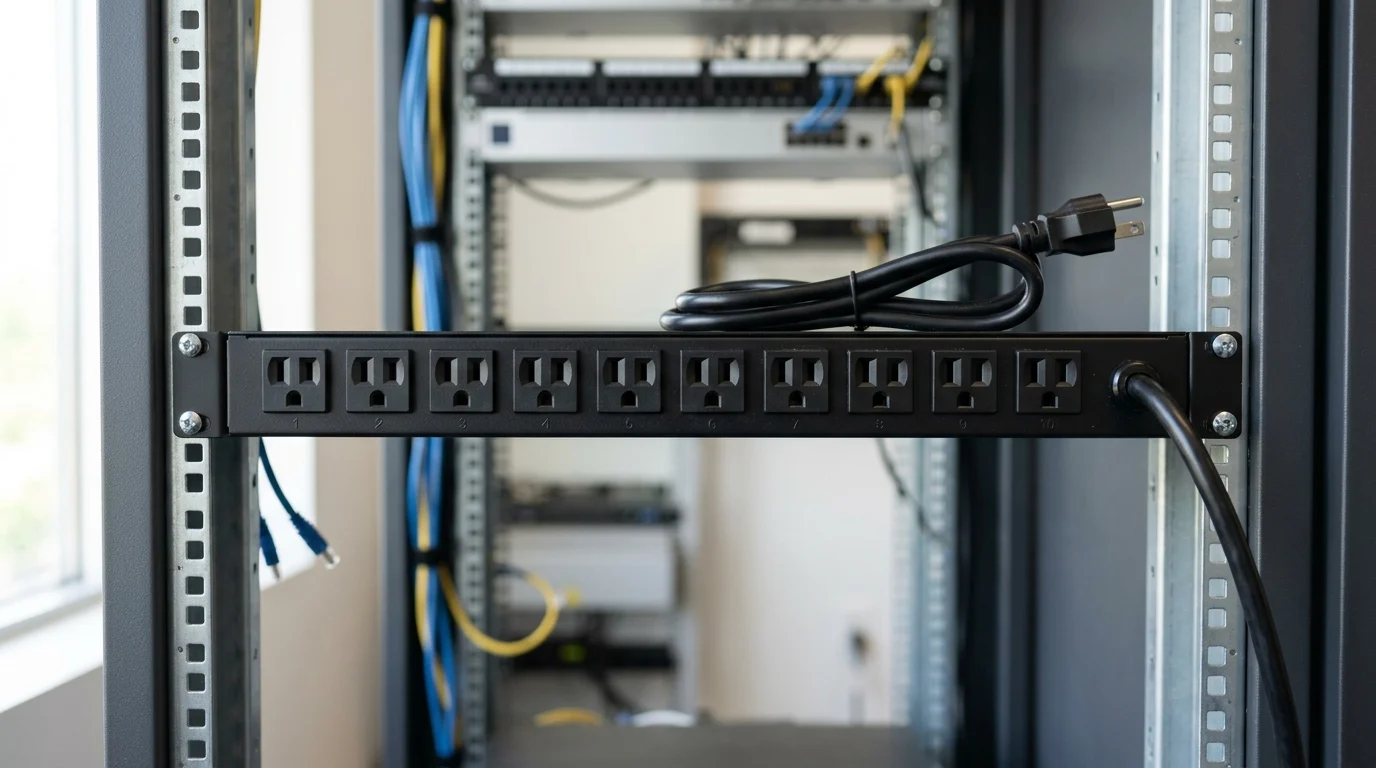
If 0U space is entirely exhausted, a 1U PDU mounted horizontally is a viable alternative. However, horizontal units typically cap out at 8 to 12 outlets due to the standard 19-inch rack width. For true high-density racks, utilizing a 36-outlet vertical model with tightly clustered C13 banks is usually the preferred method to maximize outlet density per square inch of rack space.
What trade-offs matter most in compact Basic PDU designs
Packing 36 outlets into a tiny footprint is not without its compromises. The biggest trade-off is clearance for power bricks or oversized plugs. When outlets are spaced only 1.1 inches apart, standard C14 plugs fit perfectly, but anything larger will block adjacent receptacles.
Another critical trade-off involves circuit breaker placement. Standard PDUs often feature flush-mounted breakers on the front face. In ultra-compact designs, these breakers might be shifted to the top or bottom of the unit, or they might protrude slightly, which can complicate mounting if the rack has shallow rear rails. Always double-check the breaker profile to ensure it will not interfere with the rear doors closing.
How to choose the right Basic PDU

How do you make the final call? Choosing the right basic power distribution unit should not be left to guesswork. It requires a systematic approach to ensure the unit fits both the electrical load and the physical constraints of the cabinet.
When upgrading Server Room Gear, treat the PDU as the foundation of the rack’s reliability. If the sizing is wrong, it risks starving servers of power or wasting valuable space that could be used for computing hardware.
What evaluation process to use for load and fit
A reliable evaluation process starts strictly with the math. First, calculate the continuous power load of the rack. The golden rule here is the 80% threshold: continuous loads should not exceed 80% of the circuit’s maximum rating. For example, when running a 30A, 208V circuit, the continuous draw should not surpass 24A (yielding roughly 4.9kW of usable power per feed).
Once the electrical capacity is locked in, evaluate the physical fit.
Key Takeaways
- The most important conclusions and rationale for Basic PDU
- Specs, compliance, and risk checks worth validating before you commit
- Practical next steps and caveats readers can apply immediately
Frequently Asked Questions
What Basic PDU design saves the most rack space?
A slim 0U vertical Basic PDU usually saves the most space. Look for roughly 1.5-inch width and 1.6-inch depth so it fits rear rack corners without blocking equipment bays.
How many outlets should a high-density Basic PDU have?
For dense racks, a 36 to 42 outlet vertical model is often ideal. It supports more dual-corded devices while avoiding extra PDUs that consume space and complicate cabling.
Why choose an extruded aluminum Basic PDU chassis?
Extruded aluminum stays rigid on long 0U PDUs and keeps a slim profile. It helps the unit handle 30A to 60A loads without adding unnecessary bulk behind the rack.
When is a 1U Basic PDU better than a 0U model?
Choose a 1U Basic PDU when rear vertical mounting space is unavailable. It works for smaller outlet needs, but most 1U units only provide about 8 to 12 outlets.
Where can I compare compact Basic PDU options for high-density racks?
You can review compact Basic PDU and vertical PDU options at newsunnpdu.com. Focus on chassis width, outlet mix, mounting style, and current rating for your rack layout.
Post time: Apr-30-2026