

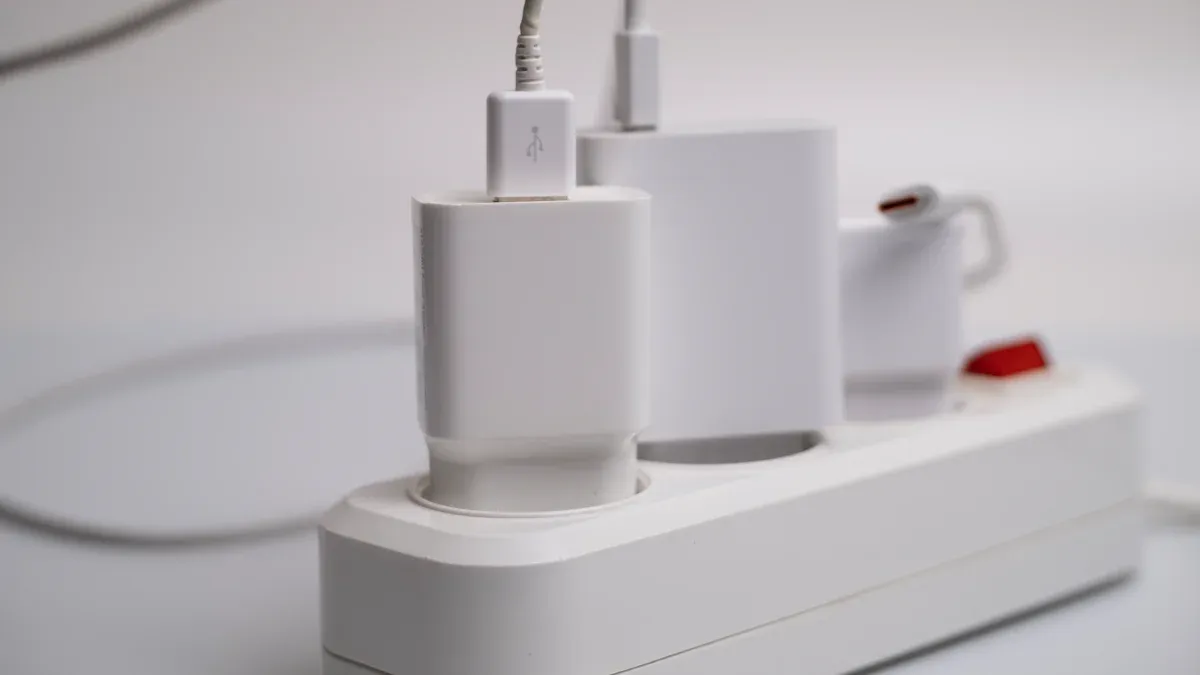
The evolving demands of modern offices in 2025 necessitate advanced desktop socket solutions. Technology integration in office design, including video conferencing systems and interactive screens, requires readily accessible power. Smart buildings increasingly feature integrated technology, which, combined with office-specific systems, necessitates robust digital infrastructure. Flexible furniture, such as the Frida focus pods from Boss Design, often includes power units and USB charging ports, directly indicating a need for integrated power. A well-chosen Desktop Socket, perhaps even a sleek Pneumatic Pop Up Worktop Socket Tower, enhances productivity, streamlines connectivity, and elevates workspace aesthetics. This guide helps navigate the best options for power, data, and future-proof integration.
Key Takeaways
- Modern offices need good desktop sockets. These sockets help with power and data for many devices.
- Look for sockets with different power options. These include regular plugs, fast USB-C chargers, and wireless charging.
- Good sockets offer data connections. They have Ethernet for internet and USB ports for other devices.
- Choose sockets that can change. Modular designs let you update ports as technology changes.
- Consider how the socket looks. It should fit well with your office style, either hidden or easy to reach.
- Safety is very important. Make sure sockets have surge protection and meet safety rules.
- Think about how you will install the socket. Some clamp on, some fit into the desk, and some pop up.
- Future sockets will have new features. These include wireless power and smart energy control.
Key Considerations for Modern Office Desktop Sockets in 2025

Modern offices demand more from their power and data solutions. Selecting the right desktop socket involves careful consideration of several key factors. These factors ensure optimal performance, adaptability, and safety for all users.
Power Delivery Capabilities of a Desktop Socket
Effective power delivery is fundamental for any modern workspace. A robust desktop socket provides reliable energy for various devices.
AC Outlets for Standard Devices
Traditional AC outlets remain essential. They power monitors, desktop computers, and other standard office equipment. Most modern office setups still rely on these familiar power sources.
High-Wattage USB-C Power Delivery (PD)
USB-C Power Delivery (PD) has become crucial. It charges laptops, tablets, and smartphones quickly and efficiently. High-wattage USB-C PD ports reduce the need for bulky power bricks.
Integrated Wireless Charging for Mobile Devices
Integrated wireless charging offers convenience. Users can simply place their compatible mobile devices on a designated spot for charging. This feature keeps desks tidy and ensures devices are always ready for use. Modern office desktop sockets often include multiple power sockets, USB charging ports (including USB-C), and traditional AC power outlets to meet these diverse needs.
Data Connectivity Options in a Desktop Socket
Beyond power, seamless data connectivity is vital for productivity. Desktop sockets integrate various ports for efficient data transfer and network access.
Ethernet Ports for Reliable Network Access
Ethernet ports provide stable and fast wired network connections. They are essential for critical tasks requiring high bandwidth and low latency. Ethernet sockets (RJ45 connectors) support high-speed data transfer for internet access and file sharing.
USB Data Ports (USB-A, USB-C) for Peripherals
USB data ports connect a wide range of peripherals. USB-A ports support older devices, while USB-C ports offer faster speeds and reversible connectors. These ports facilitate data sharing, device charging, and peripheral expansion.
Video Connectivity (HDMI/DisplayPort Passthrough)
Some advanced desktop sockets offer video connectivity. HDMI or DisplayPort passthrough allows users to connect external monitors or projectors directly. This feature simplifies setup for presentations and collaborative work.
Future-Proofing and Adaptability of a Desktop Socket
Technology evolves rapidly. A future-proof desktop socket adapts to new innovations and changing office needs.
Modular Design for Customization
Modular designs offer flexibility. Users can customize port configurations to match specific requirements. This allows offices to tailor solutions for different workstations. Customizable modular designs allow users to adapt their workspace by choosing features such as USB-C ports or wireless charging.
Upgradeability for Evolving Technology
Upgradeability ensures long-term value. Sockets can accommodate new port types or power standards as they emerge. This prevents the need for complete replacements every few years.
Smart Features for Enhanced Control
Smart features provide enhanced control and efficiency. These can include power monitoring, remote management, or integration with smart office systems. Sockets can sync with devices, manage power efficiently, and adjust settings based on user habits. They also prepare for emerging technologies like wireless charging and USB-C ports.
Aesthetics and Integration of a Desktop Socket
Modern office design prioritizes both functionality and visual appeal. A well-chosen desktop socket enhances the workspace without disrupting its aesthetic. Thoughtful integration ensures a clean and professional environment.
Flush Mount Options for Seamless Integration
Flush mount desktop sockets offer a sleek, integrated look. They sit level with the desk surface, creating a smooth and uncluttered workspace. This design choice is popular in executive offices and minimalist setups. It provides power and data access discreetly.
Pop-Up Mechanisms for Discreet Access
Pop-up mechanisms provide power and data only when needed. These sockets retract into the desk when not in use. This keeps the desktop clear and tidy. Users simply press a button or pull a handle to reveal the ports.
Clamp-On Solutions for Flexibility
Clamp-on solutions offer excellent flexibility. Users can easily attach these sockets to the edge of a desk without permanent installation. This makes them ideal for hot-desking environments or temporary workstations. They provide convenient access to power and data.
Material and Finish Choices for Office Decor
The materials and finishes of a desktop socket significantly impact office aesthetics. Manufacturers offer various options to match different decor styles. For example, Z-Series Decorative Electric Wall Sockets feature a sleek, modern look. They integrate seamlessly into any office environment. These sockets come with 2.1A DC 5V Type A USB Ports for convenient charging. They use durable materials like thick copper and a glass panel. Available colors include White, Black, Gold, and Grey. They also offer customizable options for specific aesthetic and functional needs. Other integrated solutions, like planters with USB hubs, combine visual appeal with device charging. Desk lamps with wireless charging also provide light and power.
Safety and Compliance Standards for a Desktop Socket
Safety is paramount for any electrical device in an office setting. Reputable desktop sockets adhere to strict safety and compliance standards. These standards protect both equipment and users.
Essential Surge Protection
Surge protection is a critical feature. It safeguards connected devices from sudden voltage spikes. These spikes can occur due to lightning strikes or power grid fluctuations. Surge protection prevents damage to valuable electronics.
Overload Protection Mechanisms
Overload protection mechanisms prevent electrical circuits from drawing too much power. If a circuit becomes overloaded, the mechanism automatically shuts off power. This prevents overheating, potential fires, and damage to the electrical system.
Industry Certifications (UL, CE, ETL)
Industry certifications confirm a product meets specific safety and quality standards. UL (Underwriters Laboratories) certification is common in North America. CE (Conformité Européenne) marking indicates compliance with European Union standards. ETL (Electrical Testing Laboratories) is another recognized safety certification. These certifications assure users of the product’s reliability and safety.
The Top 10 Desktop Sockets for Modern Offices in 2025
Modern offices require advanced power and data solutions. This section highlights the leading desktop sockets available in 2025. These selections offer superior functionality, design, and reliability for diverse office environments.
Desktop Socket 1: The Ultimate Power Hub
This model stands out as a comprehensive power and connectivity solution. It caters to users with high demands for charging and data transfer.
High-Wattage USB-C PD Capabilities
The Ultimate Power Hub delivers exceptional charging speeds. It features multiple high-wattage USB-C Power Delivery (PD) ports. These ports efficiently charge power-hungry laptops, tablets, and smartphones. Users experience rapid power replenishment for all their essential devices.
Multiple AC Outlets for Comprehensive Power
This hub provides numerous standard AC outlets. It easily accommodates monitors, desktop computers, and other traditional office equipment. Users plug in all their devices without needing additional power strips. This ensures a clutter-free and organized workspace.
Integrated Ethernet for Robust Connectivity
An integrated Ethernet port offers reliable network access. It provides a stable, high-speed wired connection for critical tasks. This feature ensures consistent internet access and efficient data transfer for all connected devices.
Sleek and Professional Design
The Ultimate Power Hub boasts a sleek, professional design. Its aesthetic blends seamlessly into any modern office decor. The unit maintains a sophisticated appearance while providing extensive functionality.
Desktop Socket 2: The Minimalist’s Choice
For offices prioritizing clean lines and an uncluttered aesthetic, this desktop socket offers an ideal solution. It provides essential connectivity without visual bulk.
Flush-Mount Design for Clean Desktops
The Minimalist’s Choice features a flush-mount design. It sits perfectly level with the desk surface. This integration creates a smooth, uninterrupted workspace. Users appreciate the clean and organized appearance it provides.
Discreet Profile for Unobtrusive Integration
This socket maintains a discreet profile. It remains largely hidden when not in use. Its unobtrusive integration ensures the focus stays on the work surface, not the power source. This design choice enhances the overall office aesthetic.
Essential AC and USB-A/C Ports
Despite its minimalist approach, this model provides essential connectivity. It includes standard AC outlets for power. It also offers both USB-A and USB-C ports for charging and data transfer. Users access fundamental power and data needs conveniently.
Desktop Socket 3: The Collaborative Workstation Solution
This desktop socket specifically addresses the needs of shared and collaborative workspaces. It facilitates easy access for multiple users.
Dual-Sided Access for Shared Desks
The Collaborative Workstation Solution offers dual-sided access. Users on both sides of a shared desk can easily connect their devices. This design promotes seamless collaboration and reduces cable clutter in shared environments.
Modular Data Ports for Custom Needs
It features modular data ports. Offices customize the port configuration to meet specific requirements. This flexibility allows for easy adaptation to evolving technological demands. Users swap out modules for different data connections as needed.
Robust Build Quality for High Traffic
This socket boasts a robust build quality. It withstands the demands of high-traffic office environments. Its durable construction ensures long-lasting performance and reliability. This makes it suitable for busy meeting rooms and hot-desking areas.
Desktop Socket 4: The Future-Ready Innovator
This Desktop Socket represents a significant advancement in office connectivity. It anticipates future technological shifts. This model offers unparalleled flexibility and convenience.
Swappable Modules for Emerging Port Types
The Future-Ready Innovator features swappable modules. Users easily exchange these modules. This allows for integration of emerging port types. Offices adapt to new charging standards or data connections without replacing the entire unit. This design ensures long-term relevance.
Integrated Wireless Charging Pad
An integrated wireless charging pad provides ultimate convenience. Users simply place compatible mobile devices on the pad. This eliminates cable clutter. It ensures devices remain charged and ready for use throughout the workday.
Adaptable Design for Long-Term Use
This socket boasts an adaptable design. It accommodates evolving technology. Its modularity and upgrade options extend its lifespan. Offices invest in a solution that grows with their needs.
Desktop Socket 5: The Budget-Friendly Performer
The Budget-Friendly Performer delivers essential power and data capabilities. It offers a cost-effective solution for modern offices. This model prioritizes core functionality without compromising reliability.
Essential AC and USB-C PD at a Competitive Price
This socket provides essential AC outlets. It also includes high-wattage USB-C Power Delivery (PD) ports. These features come at a competitive price point. Offices equip multiple workstations efficiently.
Clamp-On Installation Option for Easy Setup
Clamp-on installation makes setup simple and quick. Users attach the unit to the desk edge. This requires no permanent modifications. It offers flexibility for reconfiguring office layouts.
Reliable Functionality Without Premium Cost
The Budget-Friendly Performer offers reliable functionality. It performs consistently for daily office tasks. This model proves that quality and dependability do not always require a premium cost.
Desktop Socket 6: The Smart Office Integrator
The Smart Office Integrator connects the physical workspace with digital intelligence. It brings advanced control and efficiency to power management. This socket enhances the modern smart office environment.
IoT Connectivity for Power Monitoring
This socket features IoT connectivity. It links to the office network. This allows for real-time power monitoring. Facility managers track energy consumption. They identify areas for efficiency improvements.
Voice Assistant Compatibility for Smart Control
Users control this socket with voice commands. It offers compatibility with popular voice assistants. This provides hands-free operation. Users manage power to devices effortlessly.
Intelligent Power Management Features
Intelligent features manage power usage. These include scheduling and automated shut-offs. The socket optimizes energy consumption. It reduces operational costs and supports sustainability initiatives.
Desktop Socket 7: The Robust Industrial Design
This Desktop Socket offers exceptional durability and protection. It suits demanding office environments. This model ensures reliable power delivery for critical operations.
Durable Construction for Demanding Environments
The Robust Industrial Design features heavy-duty materials. It withstands rigorous daily use. Its sturdy build protects internal components from physical impact. This design ensures long-term performance in busy settings.
Advanced Surge Protection for Critical Equipment
This socket provides advanced surge protection. It shields sensitive electronic equipment from power spikes. This feature prevents costly damage to computers, servers, and other vital devices. Businesses maintain operational continuity with this protection.
Multiple High-Capacity AC Outlets
The unit includes multiple high-capacity AC outlets. It powers several devices simultaneously. These outlets handle significant power loads. This makes the socket ideal for workstations with many high-power devices.
Desktop Socket 8: The Ergonomic Power Strip
The Ergonomic Power Strip focuses on user comfort and efficiency. It improves accessibility and workflow in any office setting. This design considers the daily interactions users have with their power sources.
Angled Outlets for Easy Plug Access
This power strip features angled outlets. They allow users to plug in devices easily. This design prevents plugs from blocking adjacent outlets. It maximizes the use of all available power sources.
Integrated Cable Management Features
Integrated cable management features keep workspaces tidy. They reduce cord mess. Multiple mounting options and a slim profile ensure an organized and clutter-free workspace. This improves workflow by reducing visual clutter.
User-Friendly Design for Improved Workflow
The Ergonomic Power Strip significantly improves user workflow. A heavy-duty 10-foot power cord allows flexible placement. It also permits movement of height-adjustable desks without cord strain. This enhances accessibility for dynamic workstations. Vertically oriented outlets accommodate bulky adapters. They do not block other outlets. This maximizes the use of all available power sources. An illuminated on/off reset switch provides visibility. It makes managing power easier, even in low-light conditions. This improves accessibility for all users.
Desktop Socket 9: The Compact Traveler Desktop Socket
The Compact Traveler Desktop Socket prioritizes portability and space efficiency. It is perfect for flexible work arrangements and hot-desking. This model offers essential connectivity in a small package.
Small Footprint for Space Efficiency
This socket has a small footprint. It occupies minimal desk space. Its compact design makes it ideal for crowded desks or small workstations. Users maintain an organized and uncluttered work area.
Retractable Cables for Portability
Retractable cables enhance portability. They store neatly within the unit. This eliminates tangled cords during transport. Users easily move the socket between different workspaces.
Ideal for Hot-Desking and Flexible Workspaces
The Compact Traveler Desktop Socket suits hot-desking environments. It also works well in flexible workspaces. Its easy setup and portability allow users to quickly establish a functional workstation anywhere. This supports dynamic office layouts.
Desktop Socket 10: The Premium Aesthetic Statement
This model represents the pinnacle of design and functionality. It caters specifically to executive offices and high-profile environments. This Desktop Socket combines cutting-edge technology with unparalleled elegance.
High-End Materials and Finishes
The Premium Aesthetic Statement utilizes only the finest materials. Manufacturers craft its exterior from brushed aluminum, tempered glass, or genuine leather accents. These choices elevate the workspace’s visual appeal. Sophisticated finishes include matte black, polished chrome, and custom wood veneers. These options ensure seamless integration with luxurious office decor. The tactile experience and visual quality reflect superior craftsmanship.
Customizable Options for Executive Offices
This socket offers extensive customization. Offices can request custom branding or specific port configurations. Designers integrate the unit into unique desk designs. This bespoke approach ensures the socket perfectly matches the executive suite’s requirements. It provides both functionality and a personalized touch. This model becomes an integral part of the office’s identity.
Advanced Surge Protection and Reliability
The Premium Aesthetic Statement prioritizes safety and longevity. It features multi-stage surge protection. This safeguards valuable electronic equipment from power fluctuations. Robust overload safeguards prevent electrical damage. Premium internal components ensure long-term, dependable operation. This socket provides peace of mind, protecting critical devices with superior reliability.
How to Choose the Right Desktop Socket for Your Office
Selecting the appropriate power and data solution for an office requires careful thought. The right choice enhances productivity and maintains a clean workspace. Offices must consider specific needs, desk types, and future plans.
Assess Your Specific Power and Data Needs
Understanding an office’s power and data requirements is the first step. This ensures the chosen solution meets daily operational demands.
Number and Type of Devices to Power
Offices must determine how many devices connect simultaneously. Consider the primary location of use, whether at desks, in kitchens, or living areas. A basic setup often needs at least one power module or two sockets for a phone and laptop. Under-desk power is necessary for PCs, monitors, and lamps. An accessible desktop module is useful for mobile phones and laptops. Offices should integrate power modules with traditional plug sockets, USB ports, data, audio, and international sockets. This reduces the need for multiple adapters.
Required Power Output (e.g., Laptop Charging)
Different devices require varying power outputs. Standard 120-volt wall outlets power most office equipment. Surge protectors are recommended to convert a single outlet into multiple. They power devices like computers, monitors, and printers. Sufficient individual circuits prevent overload. USB power is essential for both connectivity and power supply. Larger devices may use USB for connection but need a separate power source. Smaller devices like keyboards only need a USB connection. A USB hub plugged into a power outlet can be an effective solution.
Data Transfer Speed Requirements
Offices must also consider data transfer speeds. High-speed Ethernet ports are crucial for tasks requiring significant bandwidth. USB data ports should support the necessary transfer rates for peripherals.
Consider Desk Type and Installation Method for Your Desktop Socket
The physical characteristics of the desk and preferred installation method influence the choice of a Desktop Socket.
Integrated vs. Surface Mount Options
Offices can choose between horizontally placed desktop electrical sockets or vertically pop-up retractable sockets. The latter remains hidden when not in use.
Clamp-On vs. Grommet Installation
Desktop sockets are typically designed for easy installation. They mount into a pre-cut opening in the desk or table for flush and seamless integration. Some models feature retractable or flip-up designs to remain hidden. Clamp-on options offer flexibility without permanent desk modification.
Compatibility with Desk Material
Ensure the chosen socket is compatible with the desk material. This prevents damage during installation and ensures stability.
Evaluate Future Scalability and Budget for Desktop Socket Solutions
Offices should plan for future technological advancements and manage costs effectively.
Long-Term Technology Integration Plans
Consider long-term technology integration plans. A modular design allows for future upgrades. This prevents the need for complete replacements.
Cost-Effectiveness Over Time
Evaluate the cost-effectiveness of the solution over time. Investing in a durable, adaptable socket can save money in the long run.
Potential for Future Upgrades
Look for sockets with upgradeability. This ensures they can accommodate evolving technology.
Prioritize Safety Certifications and Warranty for Your Desktop Socket
Choosing a Desktop Socket involves more than just features. Safety and long-term reliability are paramount. Offices must prioritize products meeting strict safety standards. They also need strong manufacturer support.
Compliance with Local Electrical Standards
Electrical products must comply with local standards. These regulations ensure safe operation. They prevent hazards like electrical fires or shocks. For example, products in North America often carry UL or ETL certifications. European markets require CE marking. These certifications confirm the product meets specific safety benchmarks. Always verify these compliance marks before purchase. This protects both equipment and personnel.
Manufacturer Reputation and Support
A manufacturer’s reputation reflects product quality. Reputable companies invest in research and development. They produce reliable and durable products. They also offer excellent customer support. This support becomes crucial if issues arise. A strong manufacturer stands behind their products. They provide technical assistance and troubleshooting. This ensures smooth operation of your office equipment.
Warranty Coverage and Customer Service
Good warranty coverage offers peace of mind. It protects your investment against defects. Understand the warranty period and what it covers. A comprehensive warranty indicates manufacturer confidence in their product. Accessible customer service is equally important. You need a responsive team to address questions or concerns. They help with installation or troubleshooting. This ensures minimal downtime for your office.
Installation and Maintenance Tips for Desktop Sockets
Proper installation and regular maintenance ensure the longevity and optimal performance of any office Desktop Socket. Following best practices prevents issues and maintains a safe, efficient workspace.
Professional Installation Best Practices for Desktop Sockets
Professional installation guarantees safety and functionality. It establishes a reliable foundation for all connected devices.
Proper Wiring and Cable Management Techniques
Installers must use proper wiring techniques. They connect all wires securely according to manufacturer specifications. Effective cable management keeps wires organized and out of sight. This reduces clutter and prevents tripping hazards. Neatly routed cables also improve airflow around equipment, preventing overheating.
Ensuring Secure Mounting and Stability
Secure mounting prevents movement and damage. Installers firmly attach the Desktop Socket to the desk surface. They use appropriate fasteners for the desk material. This ensures stability during daily use. A stable socket prevents accidental disconnections and wear on ports.
Adhering to Electrical Codes and Regulations
All installations must adhere to local electrical codes and regulations. These codes ensure safety and prevent electrical hazards. Certified electricians understand these requirements. They perform installations that meet all legal and safety standards. Compliance protects both the office and its occupants.
Regular Cleaning and Inspection of Your Desktop Socket
Regular cleaning and inspection are crucial for maintaining optimal performance and safety. These practices extend the life of the socket and prevent potential issues.
Dust Removal and Debris Clearance
Dust and debris accumulate over time. They can interfere with connections and cause overheating.
- Perform regular visual inspections. Look for discolored, bent, or broken pins. Check for non-uniform locations. Compare with another socket if available. Ensure all parts move properly without unusual friction or noise. Verify proper mounting to the board interface.
- Minimize outside sources of dust and debris. Examine foreign matter composition to identify sources. Keep relative humidity levels low in the programming facility. This prevents contamination from sticking.
- Avoid touching pins or parts inside the socket nest with bare fingers. This prevents contamination from oil and dermis.
- Do not use unapproved cleaning techniques. These could damage plastics or connecting pins.
- Be careful when setting up new jobs. This prevents collisions that can harm sockets.
- Do not modify, refinish, or re-surface any part of the socket.
For cleaning, specific methods include:
- Compressed air: Use a clean, dry air source. Vary the angle and position of the nozzle tip. This dislodges dust and debris. Keep the tip more than 2.54cm (1 inch) away. Line pressure should not exceed 30 psi. This should be the most regularly applied technique. It also serves as a follow-up after other cleaning methods.
- Soft Bristle Brush Cleaning: Gently brush the socket nest from multiple angles. This dislodges dust or debris.
- Cleaning Devices: Insert a cleaning device into the socket. Perform three insertions for preventative maintenance. Perform six for functionality concerns. Then remove it. These devices are rated for 250 touchdowns.
- Chemical Tip Cleaning: Use a medium to firm non-metal bristle brush. Apply an approved cleaning solution (e.g., Envi-Ro-Tech 1676, Isopropyl Alcohol). Brush in multiple directions. Ensure not to twist, push, or apply excessive force. Clean while the socket is in both actuated and non-actuated positions. Avoid excessive solution, especially for Pogo Pin sockets.
- 3M Magic Tape (3M-MP-18): For elastomer sockets, place the tape onto the pad. Remove it to lift dust or dirt. Do not press with excessive force. Do not leave it on the surface for too long.
When cleaning sockets, especially those in small power distribution units, follow these precautions:
- Power off: Always turn off the relevant circuit. Ensure the power source is disconnected before cleaning. This prevents electric shock.
- Use dry tools: Employ dry tools like a brush or dust blower. These remove dust and debris. Avoid using damp cloths or sponges.
- Regular Inspections: Frequently inspect outlets, particularly exposed ones. Look for any signs of damage or corrosion.
- Avoid outlet cleaners/lubricants: Do not use these. They can cause short circuits or increase fire risk.
- Be careful with air pressure: If using compressed air, do not use excessive force. This prevents damage to internal components.
- Check wire connections: While cleaning, verify that wire connections are tight. This ensures circuit stability.
- Follow safety standards: Adhere to all relevant safety standards and operating procedures.
- Regular Maintenance: Implement regular maintenance and cleaning schedules. This ensures proper socket function.
Checking for Loose Connections or Damage
Loose connections cause intermittent power or data loss. They also pose a fire risk. Regularly check all cables plugged into the socket. Ensure they fit snugly. Inspect the socket itself for any physical damage. Look for cracks, frayed wires, or burn marks.
Identifying Signs of Wear and Tear
Over time, sockets show signs of wear. These include discoloration, loose ports, or difficulty inserting plugs. These indicate a need for repair or replacement. Early identification prevents more significant problems.
Troubleshooting Common Issues with Desktop Sockets
Even with proper maintenance, issues sometimes arise. Knowing how to troubleshoot common problems minimizes downtime.
Addressing Power Outages or Intermittency
Power issues disrupt work. They often stem from simple causes.
- System won’t turn on: Check power connections. Ensure 24-pin ATX and 8-pin EPS (CPU) power cables are firmly connected. Test the power supply unit (PSU). Use a PSU tester or swap with a known good PSU. Bypass the power button. Short the power switch pins on the motherboard with a screwdriver. This rules out a faulty button. Remove non-essential components. Disconnect all but the CPU, one RAM stick, and GPU. This checks for short circuits.
- Random shutdowns: Address overheating. Test the PSU. Update or reinstall drivers. Ensure all drivers are up to date and compatible. Check the event viewer. Look for critical errors or warnings that precede the shutdowns.
Resolving Data Connectivity Problems
Data issues hinder productivity. They often involve network or peripheral connections.
- Intermittent issues: Check all connections. Ensure all power cables, data cables, and expansion cards are securely seated. Test the PSU. Use a PSU tester or swap with a known good PSU. Check for electromagnetic interference (EMI). Ensure proper grounding and cable management. Avoid placing components near strong electromagnetic sources. Reset BIOS/UEFI. Revert to default settings.
- Poor performance: Address overheating. Update BIOS or drivers. Ensure the latest versions are installed. Check Task Manager. Identify and close unnecessary background applications. Run antivirus or malware scans. Adjust the power plan. Set the Windows power plan to ‘High Performance’. Disable CPU core parking. This can be done via registry edit or third-party tools. Use caution with these tools.
Diagnosing USB Charging Failures
USB charging failures are common. They often relate to power delivery or cable integrity.
- Intermittent issues: Check all connections. Ensure all power cables, data cables, and expansion cards are securely seated. Test the PSU. Use a PSU tester or swap with a known good PSU. Check for electromagnetic interference (EMI). Ensure proper grounding and cable management. Avoid placing components near strong electromagnetic sources. Reset BIOS/UEFI. Revert to default settings.
- Insufficient power delivery: Check the PSU wattage. Ensure the PSU provides enough power for all components.
Emerging Trends and Innovations in Desktop Sockets for 2025
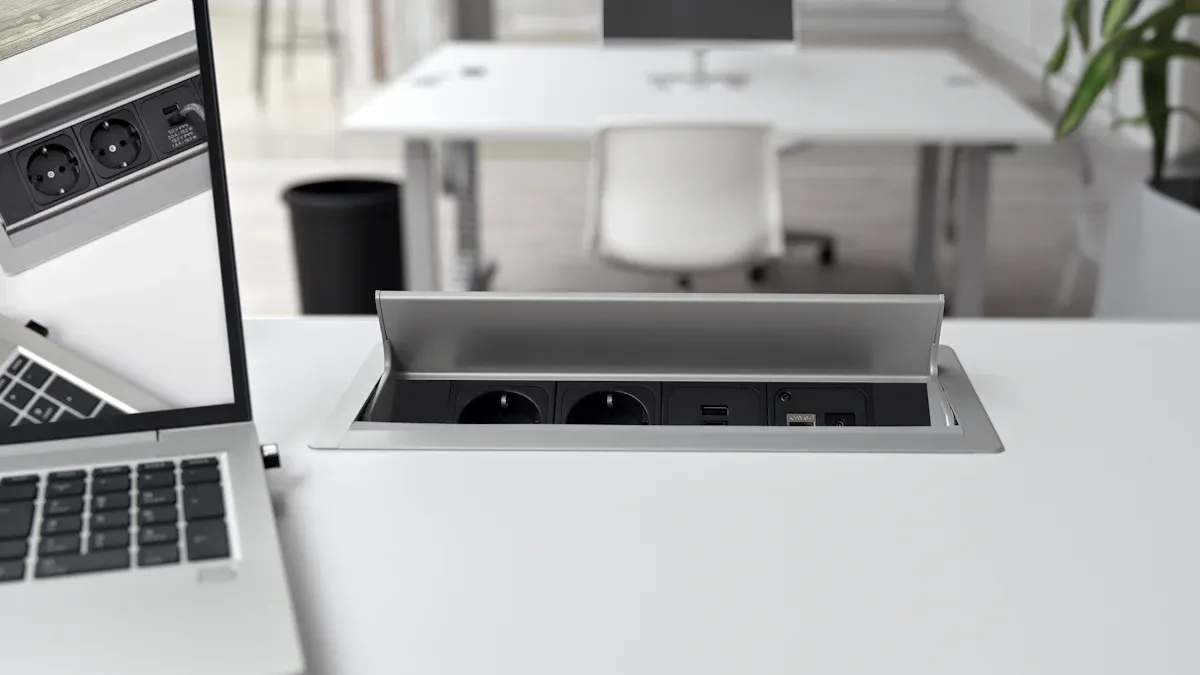
The landscape of office technology constantly evolves. Desktop sockets are also advancing rapidly. New innovations focus on convenience, intelligence, and adaptability. These trends shape the future of workspace connectivity.
Inductive Charging and Wireless Power Transfer
Wireless power is transforming how offices charge devices. This technology eliminates physical connections.
Seamless Device Charging Without Cables
Inductive charging offers unparalleled convenience. Users simply place their devices on a designated surface. Power transfers automatically. This removes the need for tangled cables and searching for ports. It creates a cleaner, more efficient workspace.
Integration into Desk Surfaces
Manufacturers are embedding wireless charging coils directly into desk surfaces. This integration makes the technology invisible. It maintains a sleek aesthetic. Desks become smart charging stations. This provides power without visual clutter.
Smart Energy Control and Monitoring
Intelligent features are making desktop sockets more efficient and responsive. These advancements provide users and facility managers with greater control.
Real-time Power Consumption Data
Modern Desktop Socket solutions offer real-time power consumption data. They include built-in energy meters. These meters track energy usage. Users monitor how much power their devices consume. This helps identify energy-hungry equipment.
Remote Management and Scheduling
Smart sockets allow remote control via mobile applications. Users can turn devices on or off from anywhere. Scheduling features automate power management. Offices set automatic on/off times for appliances. This optimizes energy use. These systems also provide protection against power problems. They safeguard against voltage drops or rises. They also prevent exceeding current parameters and overheating. Users receive notifications of events via SMS or push messages. This keeps them informed about power-consuming devices. Automation scenarios can also manage office lighting or appliance operation.
Enhanced Modularity and Customization
Future desktop sockets prioritize flexibility. They adapt to individual user needs and evolving technology.
User-Swappable Port Modules
Modular designs allow users to swap out port modules. This means offices can easily change port types. They can add new USB standards or data connections. This extends the lifespan of the socket. It avoids costly full replacements.
Personalized Aesthetic Options
Customization extends to aesthetics. Offices choose from various materials and finishes. This ensures the socket matches the office decor. Personalized options create a cohesive and professional environment.
Sustainable and Eco-Friendly Desktop Socket Designs
Modern offices increasingly prioritize environmental responsibility. This focus extends to the technology they use. Sustainable and eco-friendly Desktop Socket designs offer significant benefits. They reduce environmental impact and promote a greener workspace. Manufacturers now integrate sustainable practices into product development.
Use of Recycled Materials
Manufacturers actively incorporate recycled materials into their Desktop Socket designs. This practice reduces waste and conserves natural resources. They use post-consumer plastics, reclaimed metals, and other recycled content. This minimizes the demand for virgin materials.
- Reduced Landfill Waste: Using recycled plastics diverts waste from landfills. This lessens environmental pollution.
- Lower Carbon Footprint: Producing items from recycled materials often requires less energy. This results in fewer greenhouse gas emissions.
- Resource Conservation: Reclaimed metals, for example, reduce the need for new mining operations. This protects ecosystems.
These efforts contribute to a circular economy. Products remain in use for longer, or their components find new life.
Energy-Efficient Components
Energy efficiency is a cornerstone of sustainable design. Desktop Sockets now feature components that minimize power consumption. This reduces electricity usage and operational costs.
- Low Standby Power: Many modern sockets consume very little power when not actively charging or powering devices. This prevents energy waste.
- Smart Power Management: Integrated smart features can automatically shut off power to idle ports. They also optimize charging cycles. This ensures devices receive only the necessary power.
- Durable Construction: High-quality, durable components extend the product’s lifespan. This reduces the frequency of replacements. Less frequent replacement means less manufacturing and less waste.
These energy-saving measures align with corporate sustainability goals. They also help offices reduce their overall energy footprint.
Selecting the right Desktop Socket is paramount for creating a productive, aesthetically pleasing, and future-proof modern office environment in 2025. The market offers diverse solutions, from high-power hubs to minimalist designs, meeting every office’s unique needs. Investing in quality solutions ensures seamless connectivity, enhanced safety, and adaptability to technological advancements. Offices should consider modern USB4/Thunderbolt 4 ports and Wi-Fi 6E/7 for future-proof network connectivity. This strategic choice supports long-term technological integration.
FAQ
What is a desktop socket?
A desktop socket provides easy access to power and data connections directly on a work surface. It integrates into desks or tables. This solution reduces clutter and improves workspace organization. Users plug in devices conveniently.
Why do modern offices need advanced desktop sockets?
Modern offices use many devices. They require reliable power and data access. Advanced desktop sockets support high-wattage charging and diverse connectivity. They enhance productivity and maintain a clean aesthetic. This meets the demands of evolving technology.
What types of power delivery do desktop sockets offer?
Desktop sockets offer standard AC outlets for traditional devices. They also include high-wattage USB-C Power Delivery (PD) for fast charging. Many models feature integrated wireless charging for mobile devices. This provides versatile power options.
What data connectivity options are important?
Important data options include Ethernet ports for reliable network access. USB-A and USB-C data ports connect peripherals. Some sockets offer HDMI or DisplayPort passthrough for video connectivity. These options ensure comprehensive data transfer.
How do I choose the right desktop socket for my office?
Consider your office’s specific power and data needs. Evaluate desk type and installation methods. Plan for future scalability and budget. Prioritize safety certifications and warranty coverage. These steps ensure you select the best solution.
Are desktop sockets safe?
Yes, reputable desktop sockets prioritize safety. They include essential surge protection and overload protection mechanisms. They also carry industry certifications like UL, CE, or ETL. These features protect both equipment and users.
What are future trends in desktop sockets?
Future trends include inductive charging for cable-free power. Smart energy control and monitoring offer efficiency. Enhanced modularity allows customization. Sustainable designs use recycled materials and energy-efficient components. These innovations shape future workspaces.
Post time: Dec-30-2025