

Introduction
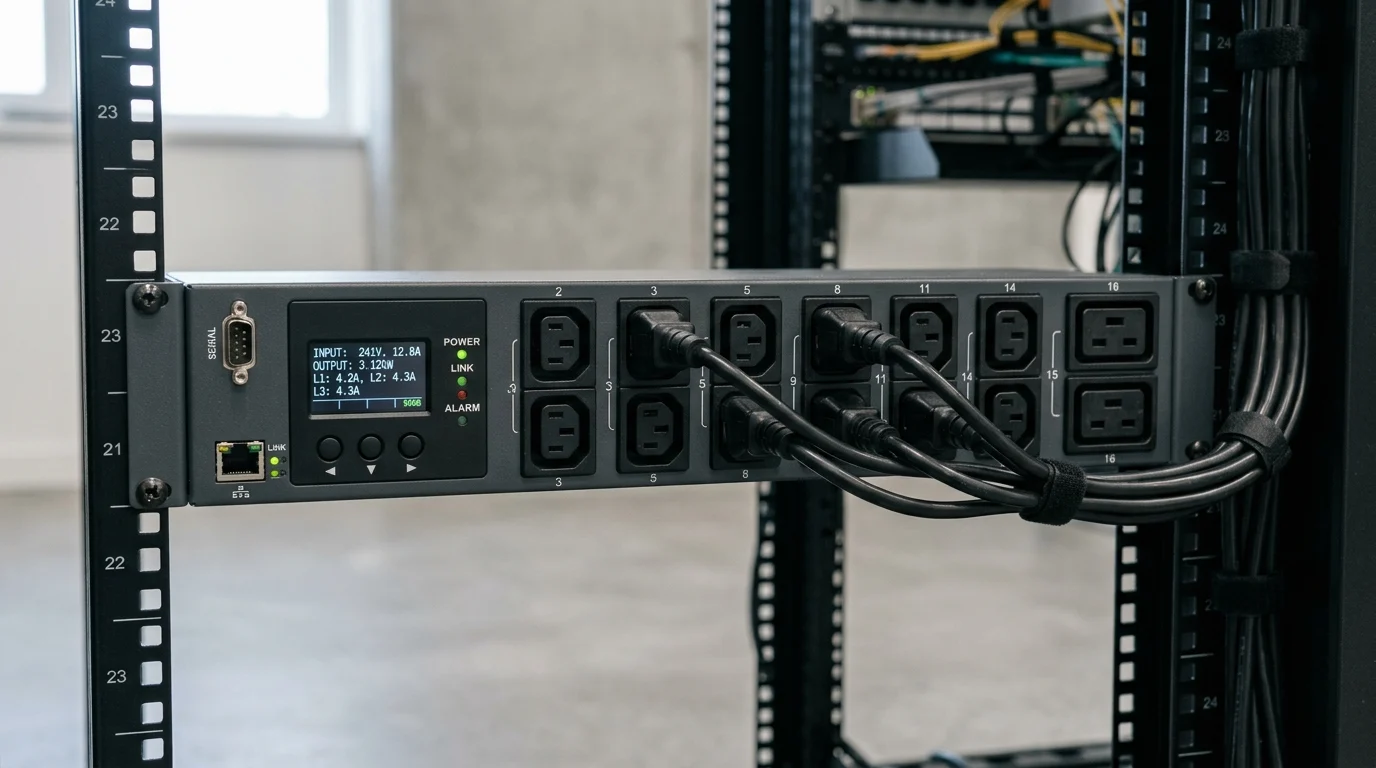
As rack power densities rise and uptime demands tighten, power distribution has become a measurable, manageable part of data center operations rather than a passive utility. An intelligent PDU adds networked visibility to each rack by tracking load, energy use, and environmental conditions in real time while enabling secure remote access and control. This article explains what an intelligent PDU is, why outlet-level monitoring matters, and how it helps reduce wasted energy, avoid overloads, support capacity planning, and simplify day-to-day management across modern smart power distribution environments.
Why Intelligent PDUs Matter in Data Centers
I’ve spent enough time in server rooms to know that power distribution isn’t just about plugging things in anymore. I remember the days when we would simply walk down a cold aisle and hope the ambient temperature wasn’t climbing too fast. Today, as rack densities push past 15 kW to 20 kW per rack on average—and sometimes spike up to 50 kW for heavy machine learning workloads—relying on standard power strips is a recipe for disaster. We need granular, real-time data to prevent tripped breakers, optimize our cooling systems, and keep the modern data center humming without a hitch.
What is an intelligent PDU
An Intelligent PDU is essentially a networked power distribution unit equipped with a built-in microprocessor and network interface. It doesn’t just deliver raw electricity; it actively measures voltage, current, active power (kW), and energy consumption (kWh) with billing-grade accuracy, often within a strict ±1% margin of error. I like to think of it as the central nervous system for your server rack. It gathers critical environmental sensor data, such as temperature, humidity, and airflow, while offering secure remote access via SNMP, RESTful APIs, or standard web interfaces. This transforms a simple metal strip into a core IT asset.
Why remote monitoring and outlet-level visibility matter
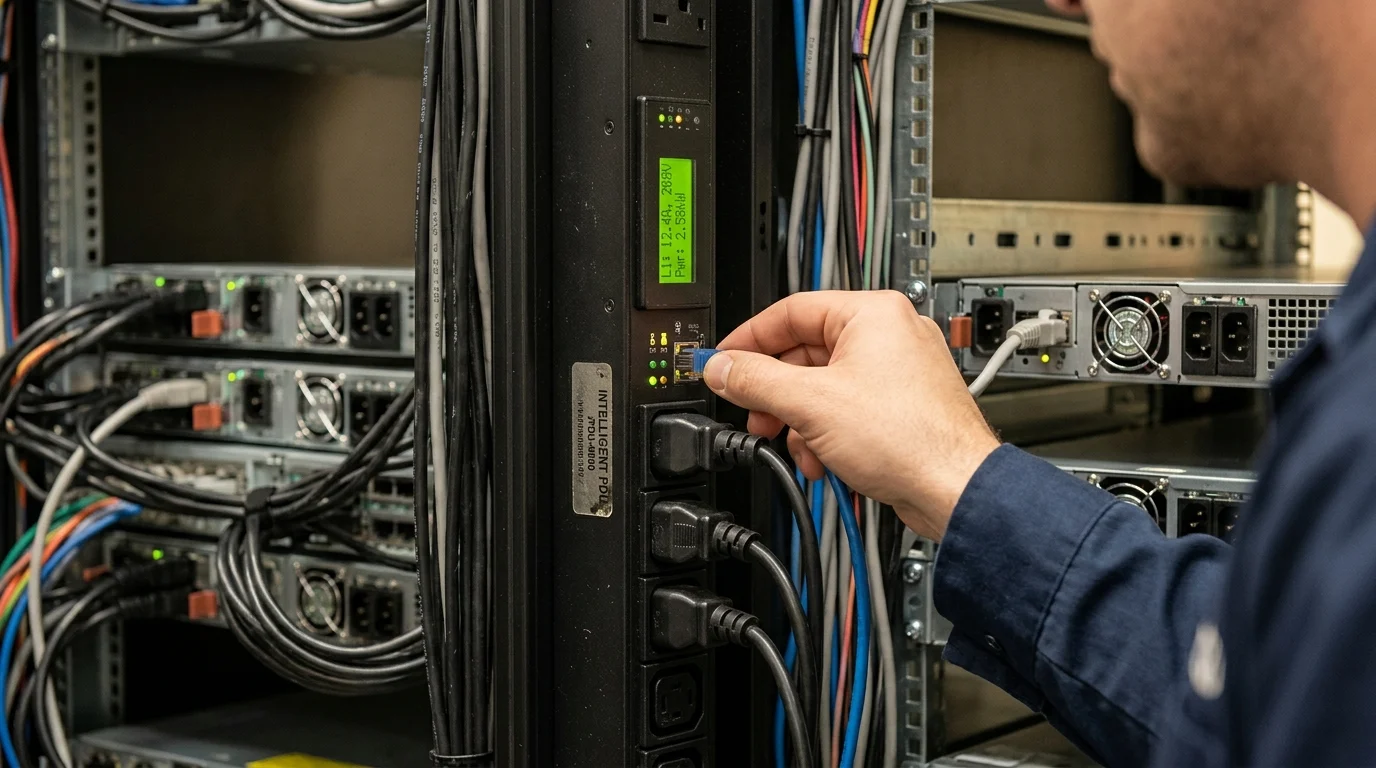
When you manage multiple colocation sites or distributed edge data centers, driving a technician out to physically reboot a locked-up server is a massive waste of time and money. Industry estimates show that these truck rolls often cost upwards of $300 to $500 per visit. With Remote Monitoring, I can pinpoint exactly which server is drawing abnormal power and cycle that specific outlet with a single mouse click from my desk. Furthermore, outlet-level visibility means we aren’t just guessing about capacity. We can safely deploy new hardware into seemingly full racks because we know exactly how much of the 30A circuit is actually being utilized during peak loads, practically eliminating stranded power.
How Intelligent PDUs Improve Power Management

Upgrading your Data Center Power Management strategy completely shifts the game from reactive troubleshooting to proactive capacity planning. I’ve personally seen facilities drop their Power Usage Effectiveness (PUE) from a sluggish 1.8 down to an impressive 1.4 simply by identifying stranded power capacity and optimizing their computer room air conditioning (CRAC) units based on actual rack-level thermal data rather than room-level assumptions.
Which monitoring and control features matter most
The features I look for first are environmental sensor ports and customizable, user-defined alarm thresholds. If a localized hot spot pushes rack exhaust temperatures above 85°F (29°C), I want an SNMP trap or email alert hitting my inbox long before the server fans spin up to maximum and hardware starts thermal throttling. Outlet-level switching is another non-negotiable feature for me, as it allows for automated load shedding during UPS battery events, dropping non-critical loads to extend runtime. Additionally, phase balancing across 3-phase systems—often monitoring up to 60A per phase—is critical. If I see an imbalance exceeding 15%, I know we need to redistribute server power supplies to avoid tripping upstream facility breakers.
How intelligent PDUs compare with basic PDUs
Let’s break down the differences clearly. Basic PDUs are essentially just industrial-grade power strips; they provide zero intelligence, no network connectivity, and leave you completely blind to power draw until a breaker unexpectedly trips and takes down your rack.
| Feature | Basic PDU | Intelligent PDU |
|---|---|---|
| Cost per unit | $100 – $300 | $600 – $2,000+ |
| Metering Accuracy | None | Billing-grade (±1%) |
| Remote Switching | No | Outlet-level control |
| Environmental Sensors | No | Temp, humidity, leak detection |
| Max Current Rating | Typically 15A – 30A | Up to 60A+ (3-phase 400V) |
This table highlights why investing in Smart Power Distribution is worth the premium. While the upfront capital expenditure is undeniably higher, the operational savings, improved billing accuracy for colocation tenants, and downtime prevention easily cover the gap within the first 12 to 18 months of deployment.
How to Evaluate Intelligent PDU Options
Choosing the right hardware isn’t a simple, one-size-fits-all exercise. I’ve learned the hard way that over-specifying can blow your IT budget out of the water, while under-specifying leaves you ripping out and replacing units in two years when your compute demands inevitably scale up. You have to balance your immediate operational needs with a realistic five-year growth trajectory.
What selection criteria should guide deployment
First, you need to nail down your power requirements. Are you running standard 120V, 208V, or moving toward high-density 400V 3-phase? I always recommend sizing your PDUs to handle at least 20% to 30% more capacity than your current peak load. For example, if your rack currently maxes out at 8 kW, opt for a unit that comfortably supports 11 kW to 15 kW. Next, consider the operating temperature rating. With modern facilities running warmer to improve Energy Efficiency, I insist on PDUs rated for at least 140°F (60°C) continuous operation. Finally, look closely at the network controller—can it be hot-swapped without dropping power to the connected servers? That is an absolute lifesaver for performing firmware upgrades without scheduling agonizing maintenance windows.
How to balance cost, efficiency, and scalability
The sticker shock of outfitting 100 racks with $1,200 PDUs can be daunting, totaling over $120,000 in capital expenses right out of the gate. However, balancing this initial cost against the long-term operational savings, downtime prevention, and eliminated truck rolls ensures the investment quickly pays for itself as your infrastructure scales.
Key Takeaways
- The most important conclusions and rationale for Intelligent PDU
- Specs, compliance, and risk checks worth validating before you commit
- Practical next steps and caveats readers can apply immediately
Frequently Asked Questions
What does an intelligent PDU do in a data center rack?
It distributes power while measuring voltage, current, kW, and kWh, and often tracks temperature and humidity for real-time rack visibility.
How does an intelligent PDU improve energy efficiency?
It reveals stranded capacity, identifies overloaded circuits, and supports cooling optimization using rack-level power and thermal data instead of room-level estimates.
Can an intelligent PDU reboot locked-up servers remotely?
Yes. Models with outlet-level switching let admins remotely power cycle a specific outlet, reducing on-site service visits and downtime.
Which features should I prioritize when choosing an intelligent PDU?
Look for ±1% metering accuracy, outlet-level monitoring or switching, SNMP or API access, environmental sensor ports, alarms, and 3-phase load balancing support.
Is an intelligent PDU worth the higher upfront cost?
Usually yes. Better monitoring, remote control, billing accuracy, and downtime prevention often offset the extra cost within 12 to 18 months.
Post time: May-18-2026