

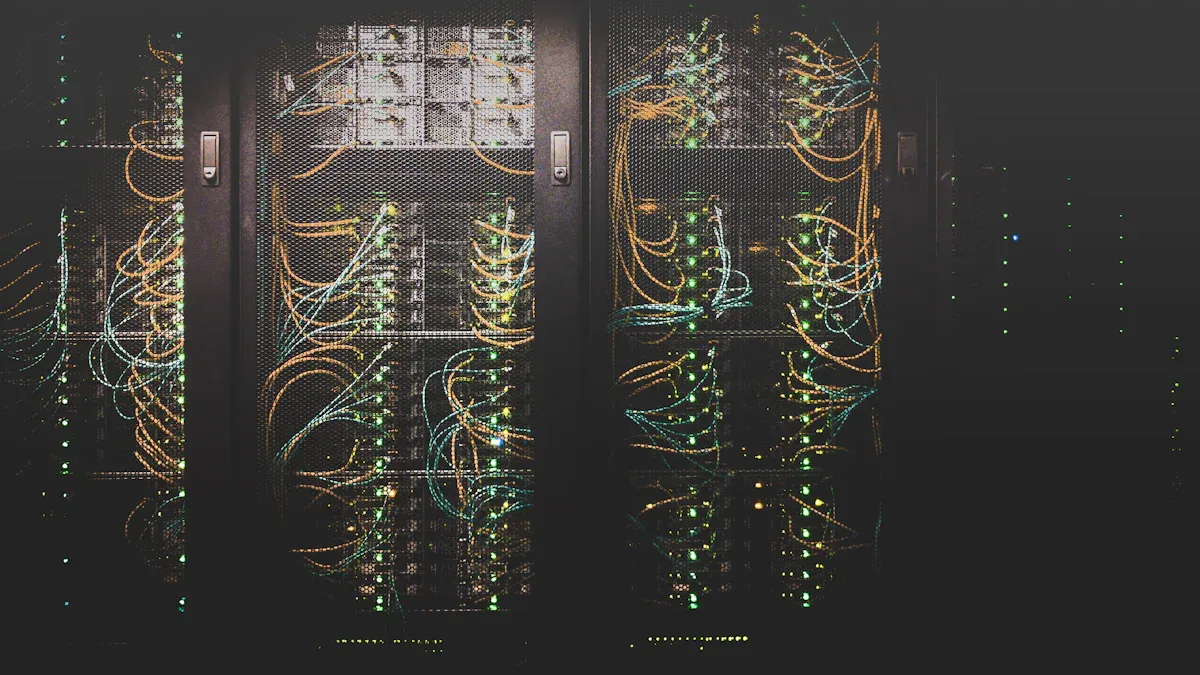
Effective power distribution management is crucial for maintaining operational efficiency in data centers. The Rack Mount PDU C13 C19 plays a pivotal role in this process by providing a centralized solution for distributing power to multiple devices. The significance of C13 and C19 connectors cannot be overstated, as they facilitate compatibility with various equipment while ensuring safe and efficient power delivery.
Contribution to Power Management Description Future-proofing rack power distribution The universal C13/C19 outlet accommodates new rack configurations, supporting growth without needing modifications. Simplifying purchasing processes Teams can buy the Basic PDU 1U 19 Inch with Combination Outlet C13/C19 for all rack-level power needs, enhancing flexibility. Reducing equipment costs This setup minimizes total ownership costs by maximizing PDU lifespans and eliminating the need for additional adapters. Standardizing equipment deployments Using the same Data Center Power Distribution Unit across facilities simplifies purchasing and inventory management. Preventing accidental downtime Color-coded outlets and secure locking features reduce human error in power management.
Additionally, the 16A/32A Rack PDU with IEC Outlets provides options for various power requirements, while the Vertical and Horizontal Server Rack PDU configurations ensure that your power distribution needs are met efficiently in any setup.
Key Takeaways
- Effective power distribution is essential for data center efficiency and reliability.
- Rack Mount PDU C13 C19 units provide multiple outlet options for various devices, enhancing compatibility.
- Load balancing helps prevent equipment overloads by distributing power evenly across devices.
- Regular monitoring of power consumption and temperature can prevent potential issues and downtime.
- Surge protection in PDUs safeguards sensitive equipment from voltage spikes, ensuring reliability.
- Choosing the right PDU involves considering weight capacity, outlet types, and energy monitoring features.
- Implementing smart PDUs allows for remote management and real-time monitoring, improving efficiency.
- Proper cable management and placement of PDUs enhance airflow and cooling, preventing overheating.
Importance of Rack Mount PDU C13 C19

What is a Rack Mount PDU C13 C19
A Rack Mount PDU C13 C19 is a power distribution unit designed for efficient power management in data centers and server rooms. This device adheres to the IEC 60320 standard, which ensures compatibility with various equipment globally. The PDU typically features multiple outlets, including C13 and C19 connectors, allowing users to connect a wide range of devices. The Newsunn 19” IEC C13 C19 Rack Power Distribution Unit exemplifies this design, offering both horizontal and vertical mounting options in standard 19” server racks.
Benefits of Using Rack Mount PDU C13 C19
Utilizing a Rack Mount PDU C13 C19 provides several operational advantages:
- High Outlet Density: This feature maximizes rack space, enabling more devices to connect without overcrowding.
- Versatile Power Options: The combination of C13 and C19 outlets accommodates various power needs, from standard IT equipment to high-density servers.
- Enhanced Monitoring: Many PDUs come equipped with advanced features that improve monitoring and control of power distribution, ensuring optimal performance.
- Reliable Performance: These units ensure uptime and protect equipment from power-related issues, contributing to overall operational efficiency.
- Remote Management Capabilities: Users can manage power distribution remotely, reducing the need for physical site visits and enhancing convenience.
Key Features of C13 and C19 Connectors
C13 and C19 connectors are integral to the functionality of Rack Mount PDUs. Here are their key characteristics:
-
Electrical Specifications:
- C13 connectors support up to 10 Amperes and are commonly used for devices like laptops and monitors.
- C19 connectors handle higher power demands, rated at 16 Amperes, making them suitable for servers and high-density applications.
-
Physical Structure:
- The C13 connector is smaller and round, while the C19 connector is larger and rectangular, designed for robust connections in demanding environments.
-
Safety and Reliability:
- C19 connectors are built to withstand high power demands and conform to IEC 60320 standards, ensuring safety and reliability in power distribution systems.
Common Power Issues in Data Centers

Overloading Circuits
Overloading circuits represents a significant challenge in data centers. This issue arises when the demand for power exceeds the circuit’s capacity, leading to potential failures. Common causes of circuit overloading include:
- Disconnecting power cables from equipment
- Changing the temperature from Fahrenheit to Celsius
- Activating the emergency power-off (EPO) switch
- Failing to adhere to prescribed protocols
When circuits become overloaded, they can trip breakers or cause equipment to shut down unexpectedly. This not only disrupts operations but can also lead to costly downtime.
Voltage Fluctuations
Voltage fluctuations frequently occur in modern data centers, primarily due to the increasing demand from large-scale operations. These disturbances can significantly impact the performance of sensitive IT equipment. The volatility and intensity of power demand contribute to these fluctuations, leading to several potential issues:
- Reduced Lifespan: Frequent fluctuations can wear down internal components, shortening device lifespans.
- Performance Degradation: Inconsistent voltage levels may cause devices to malfunction or operate inefficiently.
- Data Loss: Sudden power surges or drops can corrupt or erase data on computers and servers.
- Increased Energy Consumption: Unstable voltage can lead devices to draw more power than necessary, raising energy costs.
- Safety Hazards: Severe fluctuations can result in overheating, short circuits, or even fires, posing significant safety risks.
Inefficient Power Distribution
Inefficient power distribution can lead to increased operational costs in data centers. Poor management of power resources often results in higher energy consumption and necessitates advanced cooling solutions. This inefficiency complicates maintenance and troubleshooting, leading to increased downtime and further inflating costs. Signs of inefficient power distribution include:
- Flickering and blinking lights
- Equipment running hot
- False breaker tripping
- Unexplainable data errors
Additionally, tangled cables can create confusion, making it difficult to resolve issues quickly. Delays in addressing malfunctions can result in extended periods of inoperability, ultimately impacting the bottom line.
By recognizing and addressing these common power issues, data center managers can enhance operational efficiency and ensure reliable performance.
How Rack Mount PDU C13 C19 Mitigates Power Issues

Load Balancing
Load balancing is a critical feature of the Rack Mount PDU C13 C19. This functionality distributes power evenly across connected devices, which is essential for maintaining operational efficiency. By ensuring that no single device draws excessive power, load balancing helps prevent equipment overloads and potential failures. Here are some best practices for achieving optimal load balancing:
- Rack Assessment and Preparation: Check the dimensions of your rack enclosure to ensure it accommodates a 0U PDU and meets power characteristics.
- Select Mounting Location: Choose a location on the rack’s back or side panels that allows for proper air circulation and access.
- Cable Management: Sort and tag all powering cables before installation for an organized setup.
- Installation of the PDU: Securely mount the PDU using the provided brackets and fasteners, ensuring proper positioning.
- Connecting Equipment: Attach each device to the PDU sequentially, confirming effective power transport.
- Verification: Conduct a detailed verification of wire connections and PDU functions to minimize power loss.
By following these practices, data center managers can significantly reduce the risk of equipment failure due to power imbalances.
Surge Protection
Surge protection is another vital aspect of the Rack Mount PDU C13 C19. These units integrate advanced surge protection technologies, such as Metal Oxide Varistors (MOV) and Transient Voltage Suppressors (TVS). These modules absorb or divert surges caused by transient overvoltages, safeguarding sensitive equipment like servers and network devices. The effectiveness of these surge protection modules depends on several factors, including Joule Rating, Surge Current Withstand, and Response Time. These metrics indicate the capacity to handle surge energy and the speed at which the devices can react to protect connected equipment.
Monitoring and Management Features
Monitoring and management features in the Rack Mount PDU C13 C19 play a crucial role in improving uptime. These capabilities allow users to track power quality and consumption, ensuring that the power feeding the PDU remains stable and reliable. The following table summarizes key features and their benefits:
| Feature | Benefit |
|---|---|
| Advanced Power Quality Monitoring | Provides insights into power quality, helping to identify issues that could lead to downtime. |
| Alerting Capabilities | Real-time alerts notify users of potential risks, allowing for proactive maintenance. |
| Intelligent Management Systems | Enables monitoring of power consumption and environmental conditions, enhancing overall uptime. |
By utilizing these monitoring features, data center managers can identify potential failures in advance. Real-time alarms notify users of possible risk conditions, allowing for timely interventions that prevent disruptions.
Installation Best Practices for Rack Mount PDU C13 C19

Choosing the Right Rack Mount PDU C13 C19
Selecting the appropriate Rack Mount PDU C13 C19 is essential for optimizing power distribution in data centers. Consider the following criteria when making your choice:
- Rack Weight Capacity: Ensure the PDU can support the weight of connected equipment, with capacities ranging from 500 lbs to 3,000 lbs.
- Mounting Hardware: Use proper mounting hardware, such as fixed or sliding rails, cage nuts, and screws, to secure the installation.
- Electrical Safety Features: Look for grounding kits and durable steel construction to protect both equipment and personnel.
- Input Voltage and Amperage Compatibility: Match the PDU’s specifications, typically between 120-240V AC and 10A to 20A, with your load requirements.
- Outlet Types: Ensure the PDU includes the necessary outlet types, such as C13, C19, or NEMA 5-15R, to align with device connectors.
- Energy Monitoring: Opt for models with real-time energy monitoring and outlet-level metering to optimize power usage.
- Remote Management Features: Choose PDUs that offer remote outlet switching and notifications for proactive management.
- Environmental Sensors: Select units that monitor temperature, humidity, and airflow to prevent overheating.
- Scalability and Modularity: Ensure the PDU supports future growth and high-density environments.
- Safety Certifications: Verify compliance with safety certifications like UL, CE, IEC CB, FCC, UKCA, and NEMKO for reliability.
Proper Rack Placement
Proper placement of the Rack Mount PDU C13 C19 significantly affects airflow and cooling efficiency. Follow these guidelines for optimal placement:
- Position the PDU at the Back: This keeps the front area clear for other equipment, facilitating easier access and maintenance.
- Avoid Obstructing Ventilation Paths: Ensure the PDU does not block airflow to maintain effective cooling throughout the rack.
- Implement Effective Cable Management: Organize cables to enhance airflow and prevent overheating.
Cable Management Techniques
Effective cable management is crucial for maintaining a tidy and efficient rack environment. Consider these techniques:
- Use Cable Retention Clips: Secure connections to prevent accidental disconnections.
- Implement Plug Locks: Strengthen the connection of C14 input cords to C13 outlets to avoid loose connections.
- Utilize IEC Lock Connectors: These connectors help prevent accidental dislodging of C13 and C19 plugs.
- Separate Power and Data Cables: Keeping these cables apart reduces electromagnetic interference (EMI).
- Color-Coded Power Cords: Use different colors for power cords to simplify identification and management.
- Label Cords: Clearly label all cords for better organization and quick identification during maintenance.
By following these installation best practices, data center managers can ensure efficient power distribution and maintain optimal performance of their Rack Mount PDU C13 C19 systems.
Ongoing Management and Maintenance of Rack Mount PDU C13 C19

Regular Monitoring
Regular monitoring of the Rack Mount PDU C13 C19 is essential for maintaining optimal performance. Data center managers should implement a routine check-up schedule to assess power distribution and identify potential issues. Key aspects to monitor include:
- Power Consumption: Track the total power usage to ensure it remains within safe limits.
- Temperature Levels: Monitor the temperature around the PDU to prevent overheating.
- Voltage Stability: Regularly check for voltage fluctuations that could affect equipment performance.
By establishing a monitoring routine, managers can detect anomalies early and take corrective actions before they escalate into significant problems.
Firmware Updates
Keeping the firmware of the Rack Mount PDU C13 C19 up to date is crucial for ensuring security and functionality. Manufacturers often release updates that enhance performance and address vulnerabilities. Here are steps to follow for effective firmware management:
- Check for Updates Regularly: Set reminders to check the manufacturer’s website for the latest firmware versions.
- Review Release Notes: Understand the changes and improvements included in each update.
- Schedule Updates During Downtime: Plan firmware updates during off-peak hours to minimize disruptions.
Failing to update firmware can lead to security risks and compatibility issues. For instance, outdated firmware may not support newer devices, limiting the PDU’s effectiveness.
Troubleshooting Common Issues
Despite their reliability, Rack Mount PDUs can encounter issues. Understanding common problems and their solutions can help maintain smooth operations. Here are some frequent challenges:
-
Inadequate Surge Protection: Standard PDUs may not provide sufficient protection against power fluctuations. To ensure equipment safety, differentiate between surge suppression and transformer-based protection.
-
Complex Installation: Installing a vertical PDU requires careful planning. Improper installation can lead to instability or obstruct other rack components. Always verify that the PDU fits well within the rack dimensions.
-
Voltage Mismatch: Connecting a PDU with a different voltage rating than the power source can cause immediate failure. Always confirm that the PDU’s input voltage matches the building’s power source before use.
-
Electrical Noise: Electrical noise can disrupt server operations and lead to unstable data transfer rates. Using an electrical analyzer can help diagnose power quality issues. Consider employing an isolation transformer to mitigate noise.
By addressing these common issues proactively, data center managers can enhance the reliability and efficiency of their Rack Mount PDU C13 C19 systems.
Future Trends in Power Distribution with Rack Mount PDU C13 C19
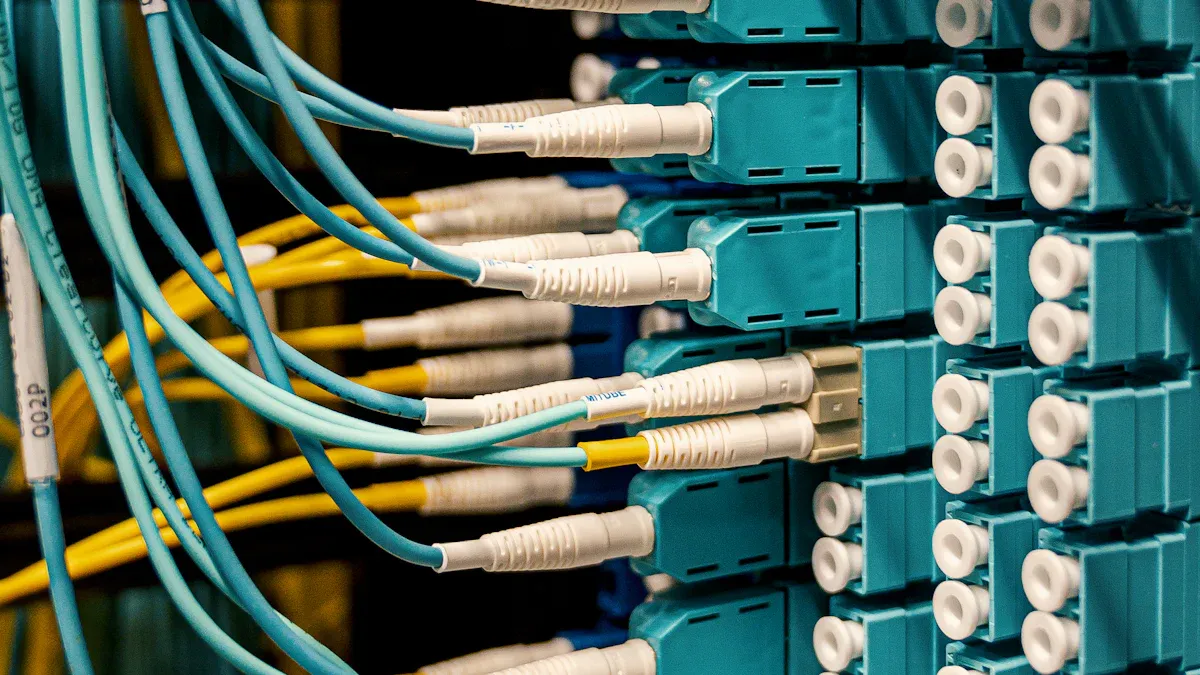
Smart PDUs
Smart PDUs represent a significant advancement in power distribution technology. These units enhance operational efficiency through various features. The following table outlines key functionalities of smart PDUs:
| Feature | Description |
|---|---|
| Real-time power monitoring | Allows tracking of energy consumption and operational parameters in real-time. |
| Remote management capabilities | Enables management of power outlets from a distance, reducing downtime and improving efficiency. |
| Environmental monitoring | Monitors temperature and humidity to protect critical IT systems from environmental risks. |
| Enhanced safety features | Provides advanced metering and notifications to enhance monitoring capabilities. |
| Energy efficiency tracking | Helps identify inefficiencies and optimize power distribution, potentially achieving up to 30% energy savings. |
These features empower data center managers to make informed decisions, ensuring optimal performance and reliability.
Energy Efficiency Innovations
Energy efficiency innovations in Rack Mount PDUs contribute significantly to sustainability goals. These advancements not only reduce energy consumption but also enhance overall system performance. The table below highlights some of these innovations:
| Feature | Description |
|---|---|
| Advanced Power Quality Monitoring | Provides insights into power quality, including metrics like total harmonic distortion and voltage fluctuations. |
| Capacity Planning | Offers accurate metering (±0.5%) for effective capacity planning and infrastructure scaling. |
| Xerus Technology Platform | Enhances data center efficiency and security through advanced monitoring and interoperability. |
By implementing these innovations, organizations can achieve substantial energy savings while supporting their sustainability initiatives.
Integration with IoT Solutions
The integration of IoT solutions with Rack Mount PDUs is transforming power management. This trend allows for smarter, more efficient operations. Key developments include:
- AI and IoT integration will allow PDUs to predict equipment failures and adjust energy distribution automatically.
- These advancements will enhance reliability and reduce downtime in data centers.
- The rise of hyperscale and edge data centers will lead to the development of modular and scalable PDUs.
Furthermore, AI-powered PDUs can reduce downtime by up to 30% and cut operational costs by up to 20%. Predictive analytics and automated power management optimize load balancing, ensuring that power distribution remains efficient and reliable.
As technology continues to evolve, the future of power distribution with Rack Mount PDU C13 C19 looks promising. Organizations that embrace these trends will likely see improved efficiency, reduced costs, and enhanced operational reliability.
Effective power distribution management is vital for data centers. It ensures that equipment operates reliably and efficiently. The Rack Mount PDU C13 C19 plays a crucial role in this process by addressing common power issues such as circuit overloads and voltage fluctuations.
To optimize power management, consider these best practices:
- Implement redundancy with UPS systems and backup generators.
- Use smart PDUs for monitoring and remote management.
- Balance power loads across servers to prevent overheating.
- Monitor environmental factors like temperature and humidity.
- Conduct regular inspections of power equipment.
By following these guidelines, data center managers can enhance operational efficiency and ensure reliable performance.
FAQ

What is a Rack Mount PDU C13 C19?
A Rack Mount PDU C13 C19 is a power distribution unit designed for data centers. It features multiple C13 and C19 outlets, allowing users to connect various devices while adhering to the IEC 60320 standard.
How does load balancing work in a PDU?
Load balancing distributes power evenly across connected devices. This prevents any single device from drawing excessive power, reducing the risk of overloads and ensuring optimal performance in data centers.
What are the benefits of surge protection in PDUs?
Surge protection safeguards sensitive equipment from voltage spikes. It absorbs or diverts excess energy, preventing damage to servers and network devices, thus enhancing overall reliability and uptime.
How often should I monitor my Rack Mount PDU?
Regular monitoring should occur at least once a month. This includes checking power consumption, temperature levels, and voltage stability to ensure optimal performance and prevent potential issues.
Can I install a Rack Mount PDU myself?
Yes, installation is straightforward. Ensure proper mounting and cable management to maintain airflow and prevent overheating. Follow the manufacturer’s guidelines for best results.
What should I do if my PDU shows a fault?
If a fault occurs, first check connections and power sources. Consult the user manual for troubleshooting steps. If issues persist, contact technical support for assistance.
Are smart PDUs worth the investment?
Yes, smart PDUs offer advanced features like real-time monitoring and remote management. These capabilities enhance operational efficiency and can lead to significant energy savings over time.
How do I choose the right PDU for my needs?
Consider factors like rack weight capacity, outlet types, and energy monitoring features. Ensure compatibility with your equipment and future scalability to meet growing demands.
Post time: Feb-10-2026